
K7 Total Security Antivirus Software 2026
4.2Editor score
Affordable annual subscription
Webcam and ransomware protection
Email delivery activation code
Compare the top 10 laptop protection software solutions for October 2026 including antivirus features, privacy tools, and device coverage to secure your data.
Laptop protection software is essential for safeguarding your device against malware, phishing, and identity theft. Modern suites offer more than antivirus, providing VPNs, password managers, and dark web monitoring to keep your personal information secure across all your connected devices and online activities.
We evaluated ten leading protection suites based on threat detection rates, system impact, feature sets, and ease of use. Our analysis includes top brands like McAfee, Norton, and Bitdefender, examining how they handle ransomware, secure public Wi-Fi connections, and protect your identity from emerging cyber threats in 2026.
Each pick highlights specific strengths such as budget friendliness, unlimited device support, or advanced privacy tools. Prices and subscription terms change frequently, so verify current offers before purchasing. Use this guide to find the right balance of security and performance for your specific laptop and digital lifestyle needs.
4.2Editor score

4.2Editor score

4.3Editor score
This side-by-side comparison highlights key specifications for each of the ten selected laptop protection software options, helping you quickly identify which solution offers the best balance of security features, device limits, and value for your specific needs.



McAfee Total Protection 2027 stands out as a top contender for laptop users seeking comprehensive digital safety. With a 4.2 rating, it delivers robust threat detection and identity monitoring. The suite is designed to protect five devices, making it ideal for households with multiple laptops and mobile devices.
We may earn a commission when you buy through this link, at no additional cost to you.
This software excels in threat detection, automatically catching suspicious links and scams before they reach you. The included VPN secures connections on public Wi-Fi, while identity monitoring watches for exposed personal info. The guided action feature simplifies responses to alerts, ensuring you know exactly what to do next.
While the auto-renewal model ensures continuous protection, it requires active management to avoid unexpected charges. Users should set calendar reminders or adjust settings in their My Account page. Despite this, the clarity of alerts and 24/7 support make it a reliable choice for daily use.
If you need a balanced suite for five devices without compromising on core security features, McAfee Total Protection 2027 is a strong recommendation. It combines antivirus with essential privacy tools in one package, offering value and peace of mind for modern digital lifestyles.
The identity monitoring feature actively scans for exposed data and provides actionable steps to secure your accounts against potential breaches or theft.
With built-in VPN support, you can browse safely on public networks without worrying about your data being intercepted by malicious actors.
We may earn a commission when you buy through this link, at no additional cost to you.
McAfee Total Protection for 3 devices offers a focused solution for small households or individuals managing a laptop, phone, and tablet. Its 4.2 rating reflects strong performance in identifying threats and securing online transactions. The suite includes unlimited VPN, dark web monitoring, and a password manager for comprehensive account safety.
We may earn a commission when you buy through this link, at no additional cost to you.
The password manager allows you to generate and store complex credentials securely. Dark web monitoring adds a layer of identity protection by alerting you if your info appears on risky sites. The unlimited VPN ensures privacy across public Wi-Fi connections without bandwidth caps or daily limits.
One limitation is the device count, which may not suit larger families. However, for three primary devices, it delivers robust security without bloat. The instant code download ensures quick activation, though users should keep their license safe for renewal purposes.
Choose this option if you need essential security features for a few devices without overspending. The combination of antivirus, VPN, and identity tools provides excellent coverage for daily digital activities.
The dedicated secure banking tools protect your financial transactions from tracking and interception while you shop or manage accounts online.
Store unique, complex passwords for each site in a secure vault, reducing the risk of credential theft during breaches or leaks.
We may earn a commission when you buy through this link, at no additional cost to you.
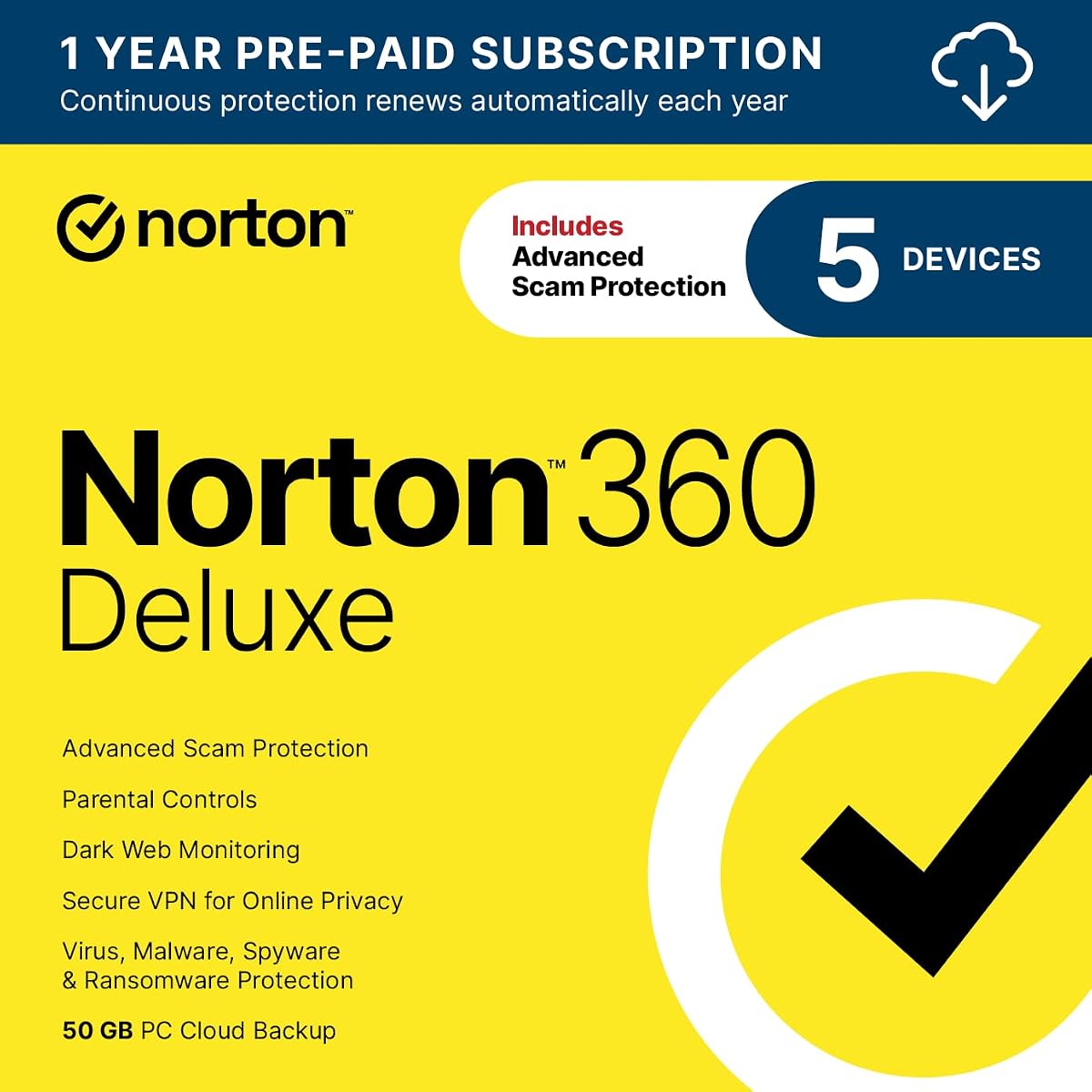
Norton 360 Deluxe offers five-device protection with standout cloud backup capabilities. It rates 4.0 and includes a built-in Genie AI assistant to help spot suspicious messages or emails. The suite protects against ransomware and malware without slowing down device performance.
We may earn a commission when you buy through this link, at no additional cost to you.
The 50GB secure PC cloud backup is a key advantage for laptop users, ensuring files are safe from hard drive failures or ransomware encryption. Dark web monitoring and a top-performing VPN with multiple server locations further secure your privacy. These features make it a comprehensive solution for data safety.
Note that introductory pricing applies only for the first year, after which renewal rates may increase. Users should check renewal terms carefully to budget accordingly. Despite this, the continuous protection and AI-driven scam detection are valuable for preventing common online fraud.
Opt for Norton 360 Deluxe if you need integrated cloud backup alongside standard antivirus protection. It simplifies security by combining backup, VPN, and identity tools into one platform for efficient management.
Securely store up to 50GB of files online, ensuring quick recovery from accidental deletions or ransomware attacks on your laptop.
Genie AI analyzes messages and emails for hidden scams, providing real-time advice on whether an interaction is safe to proceed.
We may earn a commission when you buy through this link, at no additional cost to you.
McAfee+ Premium 2027 expands protection to unlimited devices, making it ideal for tech-savvy households with many gadgets. Its 4.3 rating reflects advanced features like personal data scans and a social privacy manager. These tools go beyond standard antivirus to manage your digital footprint across platforms.
We may earn a commission when you buy through this link, at no additional cost to you.
The personal data scans locate your info on sites selling it and guide you on removal. The social privacy manager finds and fixes privacy settings buried in social accounts to limit oversharing. Combined with unlimited VPN and identity monitoring, this suite offers unmatched privacy control.
The higher cost reflects these advanced features, but it may be overkill for casual users with few devices. However, for those prioritizing privacy across many devices, it is a top choice. The guided action alerts simplify managing security across the device ecosystem.
Select this if you need extensive coverage and advanced privacy tools. It addresses modern concerns like social media privacy and data broker tracking that traditional antivirus suites often miss.
Scan for your personal data on sites selling it and get step-by-step guidance to remove or hide it from public access.
Automatically identify and adjust privacy settings on social networks to prevent accidental sharing of location or personal details.
We may earn a commission when you buy through this link, at no additional cost to you.
K7 Total Security Antivirus 2026 provides reliable protection for a single laptop or PC at a low cost. With a 4.2 rating, it offers essential antivirus, ransomware protection, and webcam blocking. The solution targets users seeking straightforward defense without a suite of extra tools.
We may earn a commission when you buy through this link, at no additional cost to you.
The ransomware protection prevents untrusted apps from encrypting or deleting files on your system. Webcam protection blocks unauthorized access to your camera, enhancing personal privacy. These features ensure your device remains safe from common attacks and spying risks.
Since it covers only one user, it is not suitable for families needing multi-device protection. However, for individuals with one laptop, it delivers solid value. The email delivery process is fast, though the lack of a physical CD may require digital activation skills.
Choose K7 Total Security if you need basic coverage for one device on a strict budget. It handles fundamental threats effectively without requiring complex setup or high monthly costs.
Automatically blocks unauthorized applications from accessing your webcam, protecting your privacy during video calls and general usage.
Detects ransomware activity early to stop it from encrypting your personal files or demanding payment to restore access.
We may earn a commission when you buy through this link, at no additional cost to you.
ASURION 2 Year Laptop Protection offers physical insurance rather than software antivirus. Rated 4.5, it covers drops, spills, and cracked screens from day one. While it does not stop malware, it protects against accidental damage and hardware malfunctions after the manufacturer warranty ends.
We may earn a commission when you buy through this link, at no additional cost to you.
The plan includes 24/7 expert support for setup, connectivity issues, and troubleshooting. If a repair is impossible, ASURION replaces the product or issues an Amazon e-gift card for its purchase price. This financial safety net makes it a practical addition to software security.
It must be purchased within 30 days of the laptop purchase and excludes pre-existing conditions. Users should verify eligibility on their device before buying. The claim process is simple, with most approvals happening within minutes of submission.
Combine this with software protection for complete coverage. It addresses physical risks that antivirus cannot, making it essential for travelers or students who frequently carry laptops.
Protects against accidental drops and spills that standard warranties exclude, ensuring you won't pay for costly screen or hardware repairs.
If a repair isn't possible, you receive a replacement or a gift card covering the original purchase price of your laptop.
We may earn a commission when you buy through this link, at no additional cost to you.
McAfee Total Protection 2027 for three devices offers a lower price alternative while keeping core features. With a 4.1 rating, it delivers threat detection, identity monitoring, and secure connections. The adaptive protection tunes alerts to your usage habits, reducing unnecessary interruptions.
We may earn a commission when you buy through this link, at no additional cost to you.
The guided action system simplifies managing security alerts by explaining what matters and what to do next. 24/7 customer support ensures help is available via phone or chat whenever issues arise. Instant code download makes activation quick and convenient.
The device limit may restrict households needing more than three licenses. However, for small families, it balances cost and functionality. Users must manage auto-renewal settings to avoid unexpected charges if they decide not to continue.
Opt for this version if you need fewer device licenses. It retains the full protection suite while offering savings for those with fewer connected devices to secure.
The system learns your habits to deliver relevant alerts, minimizing false positives and focusing on genuine security risks.
Reach expert support anytime via phone or chat for troubleshooting installation, scanning, or account issues directly.
We may earn a commission when you buy through this link, at no additional cost to you.
Bitdefender Total Security 2026 provides five-device protection across Windows, Mac, iOS, and Android. Its 4.3 rating reflects efficient threat defense and cross-platform flexibility. The suite includes a dedicated safe banking browser to secure financial transactions against keyloggers and spyware.
We may earn a commission when you buy through this link, at no additional cost to you.
Multi-layer malware protection defends against emerging threats while game and work modes reduce notifications during focus activities. The included VPN offers 200MB per day for privacy on public Wi-Fi. Eco-friendly packaging and card-based activation align with sustainability efforts.
The daily VPN cap may frustrate users needing unlimited bandwidth. However, for occasional secure browsing, it suffices. Mail delivery of activation codes adds a slight delay compared to instant digital downloads.
Choose this if you need reliable cross-platform security. It offers consistent protection across different device types while including essential privacy tools like phishing and tracker blocking.
A dedicated, isolated browser secures your online banking and shopping sessions from tracking or keylogging malware.
Game and work modes minimize interruptions and optimize performance so you can focus on tasks without security popups.
We may earn a commission when you buy through this link, at no additional cost to you.
Norton 360 Deluxe for three devices introduces essential features like dark web monitoring and Genie AI scam protection. Rated 3.9, it remains a competitive entry-level option. The 25GB cloud backup helps prevent data loss from hardware issues or ransomware.
We may earn a commission when you buy through this link, at no additional cost to you.
Genie AI helps distinguish safe emails from suspicious ones, saving time on manual checks. The VPN offers faster speeds and multiple server locations for privacy. Dark web monitoring notifies you if your credentials appear on risky sites.
The device count limits scalability for growing households. While the features are strong, the lower rating suggests potential performance or interface concerns compared to higher-tier models.
This option suits users needing basic privacy tools on a few devices. If you prefer Norton's ecosystem but have limited needs, it offers a good starting point.
The AI analyzes emails for scam indicators, providing clear advice on whether to trust or delete incoming messages.
With 25GB of cloud storage, important files are automatically backed up to prevent loss during system failures or infections.
We may earn a commission when you buy through this link, at no additional cost to you.
Norton 360 Premium supports up to ten devices, making it suitable for large families. Its 4.0 rating reflects balanced performance and feature depth. The suite offers 75GB of cloud backup and includes all standard Norton tools like dark web monitoring and Genie AI.
We may earn a commission when you buy through this link, at no additional cost to you.
The 75GB backup storage exceeds lower tiers, ensuring ample space for family photos and documents. Dark web monitoring and scam protection guard identities across all supported devices. The VPN performs well with multiple server locations for global privacy needs.
Cost is higher than smaller plans, but it delivers value for larger households needing consistent coverage. Auto-renewal requires careful management to align with your renewal preferences and billing schedule.
Choose this if you need to secure many laptops, tablets, and phones. It centralizes protection for a large device fleet with robust backup and privacy tools.
Protect ten devices simultaneously, ideal for families with multiple laptops, phones, and tablets needing consistent security.
With 75GB of cloud storage, you have ample space to back up media and documents without worrying about filling limits.
We may earn a commission when you buy through this link, at no additional cost to you.
Selecting the right laptop protection software depends on your device count, required privacy tools, and budget. This guide breaks down key factors to consider before purchasing.
Check how many devices the plan covers. Some options protect five devices, while others offer unlimited licenses or cover only one. Ensure the plan fits your current setup and any future additions like new phones or tablets.
Choose a plan that covers all your active devices to avoid purchasing multiple licenses separately.
Evaluate how the software detects malware, ransomware, and phishing attempts. Advanced suites use machine learning or behavioral analysis to catch emerging threats that older signature-based tools might miss.
Prioritize providers with real-time protection and regular updates to stay ahead of new cyberattacks.
Look for additional features like VPNs, identity monitoring, and dark web scanning. These tools protect your personal data beyond basic antivirus, securing online transactions and revealing compromised credentials.
Ensure the VPN is unlimited if you use public Wi-Fi regularly, rather than capped by daily limits.
Some security software slows down performance during scans or updates. Look for lightweight solutions or modes that pause notifications during gaming or work.
Check benchmarks or user feedback to confirm the software won't hinder productivity.
Integrated cloud backup helps recover files lost to ransomware or hardware failure. Higher tiers often offer more storage space.
Ensure the backup capacity meets your needs for photos and documents.
Access to 24/7 phone or chat support can be vital if you encounter setup issues or threats. Check availability and language options before buying.
Choose providers with accessible help resources or community forums.
Many plans auto-renew at higher rates after the first year. Read the fine print to understand renewal pricing and cancellation policies.
Set reminders to review terms before billing cycles to avoid unexpected charges.
A user-friendly interface with guided alerts simplifies managing security tasks. Complex dashboards may frustrate less technical users.
Test free trials if available to confirm the interface matches your comfort level.
After purchasing, download the activation code and follow the on-screen setup instructions. Ensure your system meets the minimum OS requirements before installation.
Run initial scans immediately to clear existing threats. Enable real-time protection so threats are caught as they appear.
Schedule regular system scans and update definitions automatically to maintain strong defense against new vulnerabilities.
Yes, while macOS and Linux have built-in security, they are not immune to malware. Using third-party protection ensures consistent defense across platforms and adds features like phishing protection that native tools may lack.
Dark web monitoring scans hidden parts of the internet for your personal data like email addresses or passwords. If found, it alerts you so you can change credentials and reduce identity theft risk.
Some suites may impact performance during scans. Look for lightweight options or features that pause notifications during resource-intensive tasks like gaming or video editing.
A VPN encrypts your internet traffic and hides your IP address. This secures data on public Wi-Fi and prevents third parties from tracking your browsing activity.
Check monitoring alerts for exposed credentials. Change passwords immediately on affected sites and enable multi-factor authentication to secure accounts further.
Many suites offer cross-platform licenses. Verify the subscription includes both operating systems before purchasing to ensure all devices are covered.
Protection tools stop updating, leaving your device vulnerable. Renew the subscription to maintain real-time protection and access to support resources.
Most modern suites include a password manager to store and generate strong credentials. This reduces the risk of weak passwords being reused across multiple sites.
The best choice depends on your specific needs. For comprehensive coverage, McAfee Total Protection 2027 stands out with balanced features. Budget users may prefer K7 Total Security for basic needs.
Prioritize tools that match your device count and privacy requirements. Unlimited device plans suit large families, while smaller packages work for individuals. Don't overlook cloud backup and dark web monitoring for added safety.
Prices and terms may change, so verify current offers before buying. Regular reviews of your subscription can ensure continued protection at a fair rate.