
ASUS 2023 Vivobook Go 15
4.3Editor score
AMD Ryzen 5 7520U Processor
8GB RAM and 512GB SSD
Fast Charging Battery Technology
Finding the perfect laptop involves balancing performance, portability, and price. The ASUS Vivobook series offers a wide range of options for students, professionals, and casual users seeking reliable daily computing power.
We evaluated ten distinct Vivobook models based on processor speed, memory capacity, storage options, and display quality. Each entry was selected to represent different needs and budgets within the current ASUS lineup.
Every product listing highlights key specifications and real-world benefits. Please note that availability and pricing can fluctuate frequently, so verify the latest details before making your final purchase decision today.
4.3Editor score

4.5Editor score

4.2Editor score
As an Amazon Associate we earn from qualifying purchases.
The following table provides a side-by-side overview of the ten selected ASUS Vivobook laptops. Compare their processors, memory, storage, and display specifications to find the model that best fits your workflow and mobility needs.


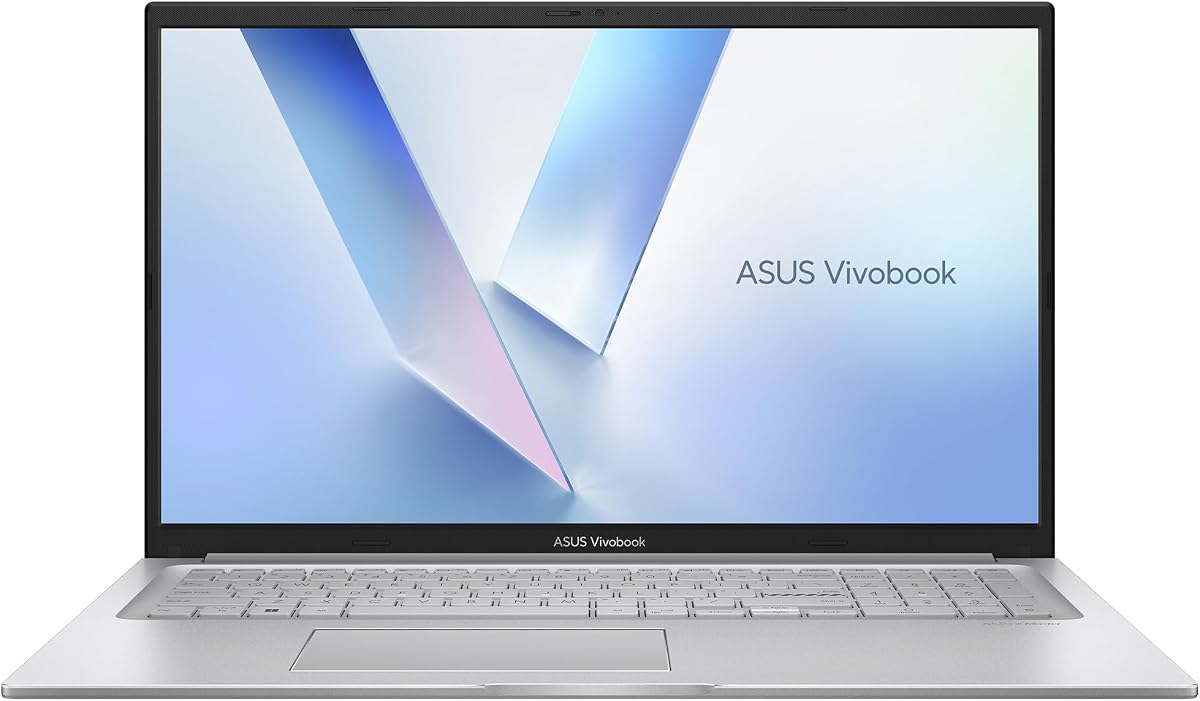




This model stands out as the top choice for users demanding high performance in a portable form factor. It holds a strong rating due to its powerful Intel Core i9 processor and substantial memory configuration that handles demanding tasks with ease.
We may earn a commission when you buy through this link, at no additional cost to you.
The 14-core processor is optimized for next-generation AI workloads, making it suitable for complex simulations and creative software. The 32GB of RAM ensures smooth multitasking even when running multiple heavy applications simultaneously without slowdowns.
While the performance is elite, users should be aware that sustained high loads may generate heat. The included PCO Cooler bundle helps mitigate this issue, maintaining peak frequency for longer durations during intense usage sessions.
If you need a machine that balances professional utility with personal data protection, this laptop delivers. The fingerprint reader and privacy shield add essential security features for business travelers and remote workers alike.
The Intel Core i9-13900H is optimized for AI workloads and seamless multitasking, delivering elite-level performance that leaves standard laptops behind.
An included PCO Cooler complements the Vivobook design to prevent thermal throttling and maintain peak frequency during intense tasks.
We may earn a commission when you buy through this link, at no additional cost to you.
This laptop introduces the Qualcomm Snapdragon X processor which focuses on power efficiency and AI integration. It achieves a high rating for its ability to provide multi-day battery life while maintaining strong performance for daily productivity tasks.
We may earn a commission when you buy through this link, at no additional cost to you.
The 16-inch WUXGA display offers a resolution of 1920 x 1200 with a 16:10 aspect ratio. This screen delivers life-like colors and sustained brightness which makes it comfortable for watching media and editing documents in various lighting conditions.
While the Adreno GPU offers generational improvements, users dependent on specific x86 legacy applications may face compatibility challenges. It is best suited for cloud-based workflows and modern web applications that leverage the ARM architecture.
For those who prioritize mobility and battery endurance over raw gaming power, this is a compelling choice. The 512GB PCIe 4.0 SSD ensures fast boot times and quick access to files despite the limited storage capacity.
The Qualcomm Hexagon NPU evolves the way you create and communicate with unparalleled power efficiency and multi-day battery life.
Enjoy 1920 x 1200 resolution with 300-nit sustained brightness and brilliant life-like colors for an immersive visual experience.
We may earn a commission when you buy through this link, at no additional cost to you.
This lightweight notebook combines the efficiency of the Intel Core i7-1355U with a vibrant display. It is highly rated for its balance between power and mobility, making it a strong candidate for students and remote workers.
We may earn a commission when you buy through this link, at no additional cost to you.
The 16-inch WUXGA display provides sharp visuals and vibrant colors which enhance the viewing experience for both work and entertainment. Intel Iris Xe Graphics support smooth everyday visuals for light content creation and media consumption.
Connectivity is well handled with Wi-Fi 6 and Bluetooth 5.1 ensuring fast wireless connections. The mix of USB-C, USB-A, and HDMI ports offers versatility for connecting external monitors and peripherals without needing dongles.
If you need a machine that travels easily without sacrificing screen real estate, this model fits the bill. The 16GB RAM ensures that multitasking remains fluid throughout your workday.
Intel Core i7-1355U provides high-performance computing and multitasking suitable for demanding office tasks and browsing.
The 16-inch WUXGA display delivers vibrant colors and sharp visuals for an immersive experience.
We may earn a commission when you buy through this link, at no additional cost to you.
This model offers a substantial 17.3-inch display which provides ample workspace for multitasking and detailed work. It is well-regarded for its durable build and features that support long-term reliability and user comfort.
We may earn a commission when you buy through this link, at no additional cost to you.
The NanoEdge display features TÜV Rheinland eye-care certification to reduce eye strain during extended use. This makes it suitable for users who spend many hours reading documents or analyzing spreadsheets on the screen.
Fast charging capability allows you to recharge to 60% in as little as 49 minutes. This feature ensures that you can quickly power up before a meeting or while traveling to stay productive throughout the day.
While the larger form factor makes it less portable, it offers comfort and durability that smaller laptops cannot match. The ergonomic keyboard with numeric keys is ideal for data entry professionals who need precision typing.
Enjoy bright and sharp visuals with TÜV Rheinland eye-care certification to reduce eye strain during long work sessions.
Supports charging to 60% in as little as 49 minutes so you can get back to work quickly.
We may earn a commission when you buy through this link, at no additional cost to you.
This laptop is designed to provide an ultrafast and smooth experience at an accessible price point. It is highly rated for its balance of performance and cost making it a top recommendation for students and home users.
We may earn a commission when you buy through this link, at no additional cost to you.
The AMD Ryzen 5 processor ensures reliable performance for browsing and productivity. AI Noise-Canceling Technology isolates unwanted noise during calls which improves communication quality without requiring expensive external microphones.
Fast charging technology can recharge the battery up to 50% capacity in just 30 minutes. This allows you to quickly top up power without interrupting your workflow during short breaks at home or the office.
For those seeking a reliable daily driver without high costs this model delivers. The ErgoSense keyboard reduces strain on hands and wrists making it comfortable for typing long documents and emails.
Equipped with an AMD Ryzen 5 processor and 512GB SSD for an ultrafast and smooth experience.
Recharge up to 50% capacity in just 30 minutes to quickly top up without interrupting your workflow.
We may earn a commission when you buy through this link, at no additional cost to you.
This slim laptop is designed for essential performance and mobility. It receives strong ratings for its build quality and privacy features which are valuable for users who frequently work in public spaces.
We may earn a commission when you buy through this link, at no additional cost to you.
The 8GB DDR5 memory runs multiple applications smoothly while the 128GB SSD provides fast boot times. If you store most files in the cloud this capacity is sufficient for daily productivity tasks and documents.
The webcam shield allows you to slide the cover for instant privacy which is a critical security feature. Military-grade durability ensures the laptop can withstand the rigors of travel and daily use without damage.
For entry-level needs this laptop offers stability and dependability. The ErgoSense keyboard and precision touchpad make input comfortable and precise for typing and navigation tasks.
With dimensions of 14.19 x 9.15 x 0.70 inches and weight of 3.59 lbs it is easy to carry anywhere.
Includes USB-C, USB-A, HDMI and audio jack for versatile connectivity without needing extra adapters.
We may earn a commission when you buy through this link, at no additional cost to you.
This customized version offers extreme flexibility with up to 48GB of RAM and 2TB of storage. It holds a perfect rating due to its ability to support heavy professional workflows and extensive data requirements.
We may earn a commission when you buy through this link, at no additional cost to you.
The Intel Core i9-13900H ensures elite-level performance for complex simulations and AI-enhanced creative software. The physical webcam shield adds a layer of security that professionals and privacy-conscious users appreciate.
Users should note that this model is an upgrade package with separate warranty terms for the added components. PCOnline US provides a 3-year coverage on the upgraded RAM and SSD while other components retain original coverage.
If you need a workstation class machine in a laptop form factor this is an excellent choice. The backlit and numeric keyboard facilitates efficient data entry and comfortable typing in low-light environments.
The original seal is opened solely for upgrading purposes with 3-year coverage on upgraded components.
Design features a backlit keyboard and precision touchpad for the modern professional.
We may earn a commission when you buy through this link, at no additional cost to you.
This model stands out because it offers 24GB of high-bandwidth RAM at an accessible price. It is rated well for users who need multitasking capability without investing in a higher-end processor.
We may earn a commission when you buy through this link, at no additional cost to you.
The 1TB PCIe NVMe M.2 Solid State Drive allows for fast bootup and data transfer. This ensures you have ample space for documents media and applications while maintaining system responsiveness.
The 14-inch FHD display offers an IPS-level panel with anti-glare properties. While not the brightest on the list it provides clear and consistent visuals suitable for indoor office work and study.
If your workflow relies more on memory capacity than raw CPU power this laptop is ideal. The Windows 11 Home interface is beautiful and consistent making it easy to navigate for any user.
24GB RAM to smoothly run multiple applications and browser tabs all at once.
i3-1215U Processor with 6 Cores and 8 Threads for efficient daily computing.
We may earn a commission when you buy through this link, at no additional cost to you.
This laptop is a top contender for those interested in the latest Copilot+ PC capabilities. It delivers a highly rated experience through its efficient Snapdragon X processor and generous memory configuration.
We may earn a commission when you buy through this link, at no additional cost to you.
The 14-inch FHD+ screen with 1920 x 1200 resolution delivers crisp and clear visuals for work and entertainment. This resolution ensures text and images appear sharp making it suitable for detailed productivity tasks.
The Adreno GPU ensures smooth multitasking and efficient computing for AI tasks. However users should be aware that running older x86 applications may require emulation which can impact performance in specific scenarios.
If you are looking for a modern Windows experience with advanced AI features this model is strong. The 512GB SSD provides fast boot times and quick file access for all your daily needs.
14-inch FHD+ screen with 1920 x 1200 resolution delivers crisp and clear visuals.
Snapdragon X processor with Qualcomm Adreno GPU and 16GB RAM ensures smooth multitasking.
We may earn a commission when you buy through this link, at no additional cost to you.
This model leverages the AMD XDNA NPU to deliver powerful AI processing efficiency for gaming and productivity. It is rated well for its vibrant display and comprehensive feature set that supports modern AI tasks.
We may earn a commission when you buy through this link, at no additional cost to you.
The 14-inch WUXGA display offers a resolution of 1920 x 1200 with a 300-nit sustained brightness. This provides brilliant life-like colors and smooth performance for visual media consumption and professional work.
The XDNA NPU is designed for ultimate AI processing efficiency with up to 50 TOPS. This allows for features like Live Captions and image generation directly on the device enhancing productivity and communication workflows.
For users seeking premium AI capabilities and gaming features this laptop is a solid choice. It includes 3 months of PC Game Pass which adds value for those who want to explore a wide range of PC titles.
Unleash performance with AMD XDNA NPU designed for the ultimate in AI processing efficiency.
Indulge in stunning visuals in breathtaking 1920 x 1200 resolution with 300-nit sustained brightness.
We may earn a commission when you buy through this link, at no additional cost to you.
Selecting the right laptop involves evaluating several critical factors beyond just the model name. This guide breaks down the most important aspects to consider for your specific needs.
The processor is the brain of your laptop and determines how fast it can run applications. For basic tasks like web browsing and document editing an Intel Core i3 or AMD Ryzen 3 will suffice. If you plan to use video editing software or run virtual machines consider models with Intel Core i7 or i9 or AMD Ryzen 5 and above.
Choose a processor that matches your daily workload to avoid bottlenecks and ensure smooth operation.
Memory or RAM allows your laptop to handle multiple tasks at once. 8GB is the minimum standard for Windows 11 but 16GB is recommended for comfortable multitasking. Storage capacity should accommodate your files and applications 512GB SSD is a good starting point for most users.
Prioritize models with at least 16GB of RAM and a solid state drive for the best performance.
The screen is what you interact with most often so its quality matters significantly. Look for Full HD or higher resolution screens to ensure text is crisp and images are clear. Also consider brightness levels if you work in bright environments.
Select a display with at least 1920 x 1080 resolution for a comfortable visual experience.
If you travel frequently weight and size are critical factors. Laptops under 3.5 pounds are easier to carry daily. Also check for durability standards like MIL-STD 810H if you need a robust device for rough environments.
Opt for a lightweight and durable build if you plan to take your laptop on the go.
Battery life determines how long you can work without being near an outlet. Look for models that advertise at least 8 hours of typical usage. Fast charging capabilities can also help you top up quickly during short breaks.
Ensure the battery capacity meets your daily usage hours to stay productive throughout the day.
A good laptop should have the ports you need without requiring dongles. Check for USB Type-C ports which support data transfer and charging and HDMI ports for external displays. Wi-Fi 6 support ensures faster wireless speeds.
Verify the port selection on the back of the laptop matches your current peripherals.
All Vivobook models come with Windows 11 which offers a modern interface and security features. Newer models may include Copilot+ PC capabilities with AI features like Recall and Live Captions. Ensure your workflow benefits from these tools.
Choose a model with AI features if you want access to the latest productivity tools.
A standard manufacturer warranty covers defects and parts for one year. Some upgraded models may offer extended coverage on specific components. Always review the warranty details before purchasing to understand your protection.
Look for extended warranty options if you need additional security for your investment.
To maximize battery life avoid leaving your laptop plugged in for extended periods once fully charged. Use the built-in power settings to limit the maximum charge level to around 80% which reduces wear on the cells.
Keep the keyboard and screen clean by using a microfiber cloth and isopropyl alcohol solution. Avoid using harsh chemicals that could damage the coatings or the chassis finish over time.
Update your BIOS and drivers regularly through the MyASUS app or the Windows Update tool. This ensures you have the latest security patches and performance improvements for your specific model.
Models equipped with Qualcomm Snapdragon processors generally offer the best battery life often reaching multi-day usage. The Vivobook 16 Snapdragon X model is a top contender for those needing maximum mobility.
It depends on the specific model. Many newer Vivobook models have soldered RAM which cannot be upgraded after purchase. Check the product details or contact support to verify upgradeability before buying.
Most Vivobook models listed have non-touch displays. However some premium or specific variants may offer touch options. Review the display specifications carefully to ensure it meets your interaction preferences.
They typically come with Windows 11 but Office is not pre-installed. You can often get a free trial or purchase a subscription separately. Some bundles may include a license check the specific offer details.
Vivobook Go models are designed to be more affordable with slightly lower specifications. They are ideal for basic tasks while standard Vivobook models offer higher performance and more features.
Standard Vivobook models are designed for productivity and multimedia rather than heavy gaming. They can run lighter titles well but dedicated gaming laptops offer better performance for demanding games.
Many models meet US military-grade standards for durability and have shock-resistant designs. The ErgoSense hinge and reinforced chassis provide reliability for daily use and travel.
The ASUS Vivobook series offers a versatile selection of laptops suitable for various needs from basic browsing to high-end AI tasks. The top picks cover different budgets and performance levels to ensure there is a match for everyone.
Prioritize what matters most to you such as screen size battery life or processing power when making your decision. Balancing these factors will help you find the device that fits your workflow perfectly.
Remember to check the latest prices and availability as they can change frequently. Use the provided links to compare current offers and ensure you get the best value for your purchase.