
AOC 27 Gaming Monitor QHD 260Hz Overclocked IPS NVIDIA G-SYNC Q27G41ZE
4.6Editor score
240Hz refresh rate
0.3ms MPRT response
Adaptive-Sync support
Finding the right 1440p gaming monitor at 240Hz ensures crisp visuals and ultra fast motion for competitive play. These displays deliver sharp clarity and smooth frame rates essential for modern gaming rigs.
We evaluated ten leading models based on panel type, response time, color accuracy, and gaming features. Our comparison highlights key strengths and tradeoffs to help you choose the best fit for your setup.
Each pick includes detailed specs, pros, cons, and real world performance insights. Prices and availability change frequently so check current listings before buying to ensure the best deal for your needs.
4.6Editor score

4.4Editor score

4.6Editor score
As an Amazon Associate we earn from qualifying purchases.
Explore a side-by-side comparison of ten top-rated 1440p gaming monitors at 240Hz. This table highlights key specs and features to help you quickly identify the right model for your gaming needs.


The LG 27GR83Q-B stands out as a top contender for 1440p gaming at 240Hz. It delivers vivid colors and sharp details thanks to its IPS panel. Rated 4.4 by users, it balances performance and affordability well.
We may earn a commission when you buy through this link, at no additional cost to you.
Its 1ms GtG response time ensures minimal ghosting during fast action. The 240Hz refresh rate provides smooth motion, ideal for competitive titles. HDR400 support and DCI-P3 95% color gamut make visuals pop.
While brightness is decent at typical levels, it may not match higher-end displays in bright rooms. Stand adjustability is good but lacks USB hubs. These tradeoffs are minor for most gamers.
This monitor suits competitive players seeking color quality and speed. Its G-Sync and FreeSync compatibility ensure tear-free gaming. If you want a reliable all-rounder, this model is highly recommended.
Vibrant colors enhance immersion in single-player games. The DCI-P3 coverage ensures hues stay true and vivid.
Higher refresh rates reduce motion blur and make fast-paced action clearer. This is key for shooters.
We may earn a commission when you buy through this link, at no additional cost to you.
The AOC Q27G41ZE offers exceptional value for budget-conscious gamers. It features a 240Hz refresh rate and 0.3ms MPRT response. Its 4.6 rating reflects solid performance and build quality.
We may earn a commission when you buy through this link, at no additional cost to you.
The IPS panel provides vibrant colors and wide viewing angles. Adaptive-Sync support works with both AMD and NVIDIA GPUs. The frameless design keeps the setup sleek and immersive.
Tilt adjustment is limited but adequate for most setups. Lacking USB ports may require extra cables. These are common compromises at this price point.
Ideal for entry-level to mid-range builds. It delivers smooth gameplay without breaking the bank. If you prioritize speed and cost, this monitor is a smart choice.
This monitor proves you don't need top-end specs for great gaming. It balances performance and price well.
The frameless bezels maximize screen space. This enhances immersion during long sessions.
We may earn a commission when you buy through this link, at no additional cost to you.
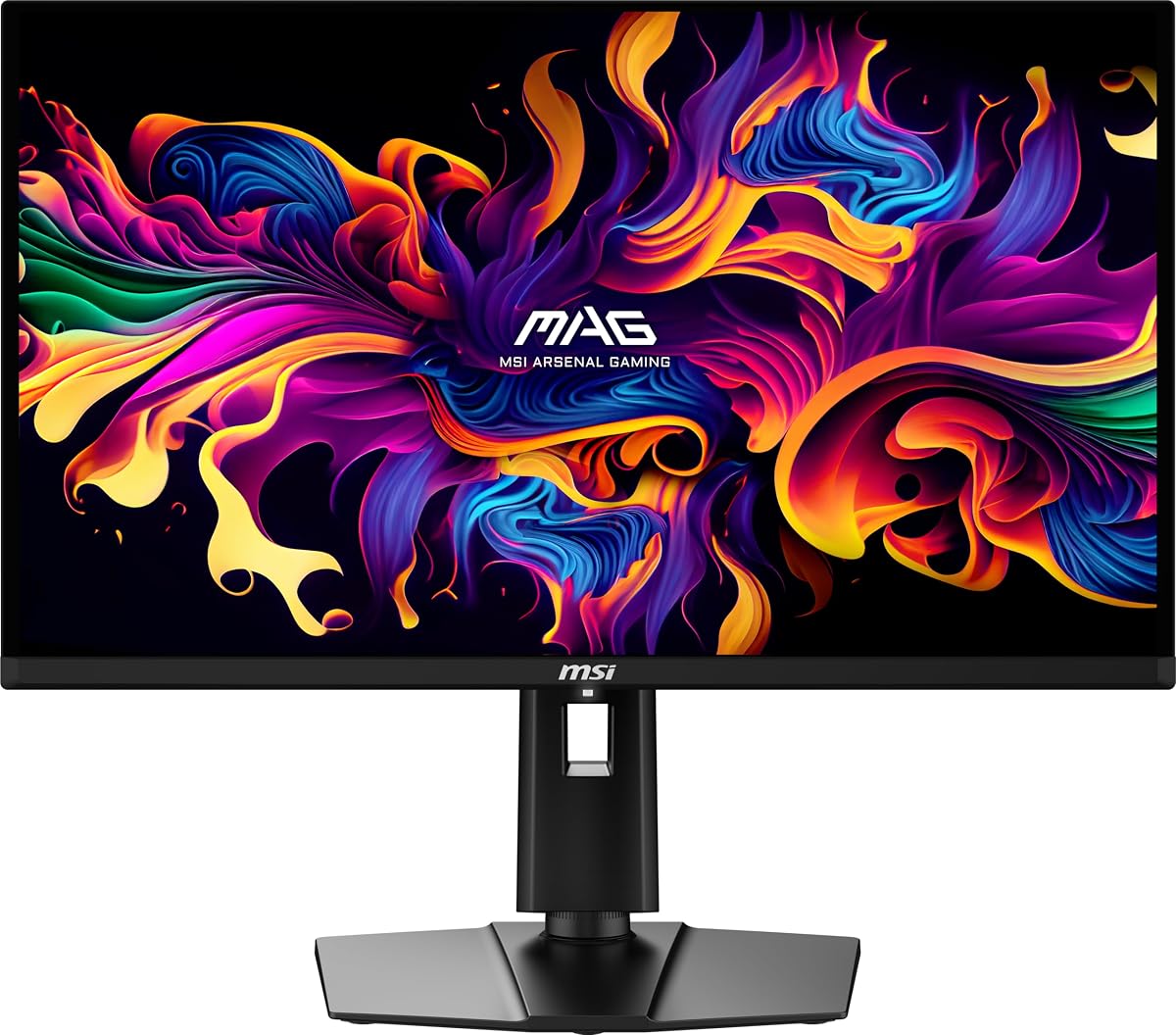
The MSI MAG 274QP delivers top-tier visual quality with its Quantum Dot OLED panel. It offers perfect blacks and near-instant response. Rated 4.6, it's a premium choice for enthusiasts.
We may earn a commission when you buy through this link, at no additional cost to you.
The 0.03ms GtG response eliminates ghosting almost entirely. HDMI 2.1 ensures compatibility with next-gen consoles. OLED Care 2.0 helps prevent burn-in during static scenes.
Its higher cost may not fit all budgets. Static content risks burn-in despite protections. These factors are manageable with careful use.
Best for those wanting the ultimate gaming experience. It excels in both competitive and cinematic games. If you seek quality above all, this is a strong pick.
OLED panels offer infinite contrast and deep blacks. This enhances depth in dark scenes.
HDMI 2.1 supports higher bandwidth and resolutions. This ensures compatibility with new consoles.
We may earn a commission when you buy through this link, at no additional cost to you.
The Acer Predator X27U W1 combines OLED tech with a compact 26.5-inch form. It delivers cinematic contrast and vivid colors. Rated 4.5, it's popular among competitive gamers.
We may earn a commission when you buy through this link, at no additional cost to you.
Its 0.03ms response time ensures fluid motion in FPS games. The QD-OLED panel covers 99% of DCI-P3 for rich hues. ZeroFrame design maximizes screen area.
Price is a consideration for budget shoppers. Image retention risks exist but are minimized with care. These are expected tradeoffs for OLED.
Ideal for those valuing visual fidelity and speed. It suits both console and PC gaming. If you want premium visuals, this monitor is worth considering.
A smaller screen keeps your view focused. This reduces head movement during intense play.
Wide color coverage enhances realism. This is key for creative work and games.
We may earn a commission when you buy through this link, at no additional cost to you.
The KTC H27E6S offers a fast IPS panel with an overclockable 275Hz refresh rate. It provides smooth motion and vibrant visuals. Its feature set makes it versatile for gaming and work.
We may earn a commission when you buy through this link, at no additional cost to you.
Built-in speakers add convenience without extra gear. The stand allows height and pivot adjustments. HDR400 enhances brightness in supported content.
Rating data is limited. OSD functionality is straightforward. These points may affect usability for some users.
Great for those needing speed and ergonomics. Its input options suit multi-device setups. If you want value with features, this is a solid option.
Fast IPS balances color and response. This is ideal for mixed use.
Adjustable stands reduce neck strain. This improves comfort during long sessions.
We may earn a commission when you buy through this link, at no additional cost to you.
The ASUS ROG XG27ACMG targets pros with its 270Hz overclock and USB-C support. It delivers sharp visuals and fast response. Rated 4.3, it is favored by enthusiasts.
We may earn a commission when you buy through this link, at no additional cost to you.
ELMB SYNC reduces motion blur while keeping adaptive sync. ROG AI features enhance gameplay. The Adobe Creative Cloud subscription adds value.
USB-C is convenient but lacks extra ports. The OSD can be complex. These are typical for gaming-focused models.
Ideal for competitive gamers needing top refresh rates. USB-C simplifies docking for laptops. If you want pro features, this is a strong fit.
USB-C with DP Alt reduces cable clutter. This streamlines setup.
AI tools optimize settings for different genres. This improves adaptability.
We may earn a commission when you buy through this link, at no additional cost to you.
The Alienware AW2723DF features a premium build with customizable lighting. It offers G-Sync compatibility and fast response. Rated 4.3, it stands out for design and quality.
We may earn a commission when you buy through this link, at no additional cost to you.
InfinityEdge bezels reduce distractions. The stand supports full adjustability. HDR600 enhances brightness and contrast.
Higher cost may not fit all budgets. AlienFX software requires setup. These are minor drawbacks for most users.
Best for those valuing aesthetics and performance. It suits high-end gaming rigs. If you want quality and style, this is a top pick.
AlienFX lighting adds visual flair. This personalizes your setup.
HDR600 boosts brightness in bright scenes. This improves realism.
We may earn a commission when you buy through this link, at no additional cost to you.
The Acer Nitro KG271U emphasizes color accuracy with sRGB 99% coverage. It delivers smooth motion and sharp visuals. Rated 4.4, it appeals to creators and gamers.
We may earn a commission when you buy through this link, at no additional cost to you.
ZeroFrame design enhances immersion. FreeSync Premium prevents tearing. The stand supports tilt and height adjustments.
HDR performance is basic. Brightness is average compared to high-end models. These are acceptable for most use cases.
Ideal for mixed use and color-critical tasks. It balances gaming with productivity. If you need color fidelity, this is a strong choice.
Accurate colors matter for editing. This monitor delivers consistency.
High refresh rates ensure fluid motion. This is key for FPS.
We may earn a commission when you buy through this link, at no additional cost to you.
The Acer Nitro XV272U offers a well-rounded setup for gamers. It features Fast IPS and 240Hz for smooth motion. Rated 4.2, it delivers reliable performance.
We may earn a commission when you buy through this link, at no additional cost to you.
Its stand supports height and pivot adjustments. Built-in speakers reduce desk clutter. VESA mounting allows flexible placement.
Brightness is moderate. Lack of USB ports is a limitation. These are common tradeoffs in this segment.
Best for those needing adjustability and speed. It fits many gaming rigs well. If you prioritize ergonomics, this is a good fit.
Adjustable stands improve posture. This reduces fatigue.
Built-in speakers simplify setup. This cuts cable mess.
We may earn a commission when you buy through this link, at no additional cost to you.
The MSI MAG 271QPX offers OLED performance with a sleek 27-inch panel. It delivers fast response and vivid colors. Rated 4.6, it is popular among enthusiasts.
We may earn a commission when you buy through this link, at no additional cost to you.
Its graphene heatsink ensures silent cooling. True Black HDR enhances contrast. OLED Care 2.0 prolongs panel life.
Cost may be high for some users. Static content risks burn-in. These are manageable with care.
Ideal for those seeking premium visuals. It excels in dark and bright scenes. If you value quality, this is a top option.
OLED offers deep blacks and speed. This enhances immersion.
Graphene cooling keeps the unit quiet. This reduces noise.
We may earn a commission when you buy through this link, at no additional cost to you.
Selecting the right 1440p gaming monitor at 240Hz requires understanding panel types, response times, and features that impact performance. This guide breaks down key factors to help you make an informed decision.
IPS panels deliver vibrant colors and wide viewing angles but may struggle with contrast. VA panels offer deeper blacks but slower response. OLED provides perfect contrast and speed but risks burn-in.
Choose IPS for color accuracy or OLED for contrast if you prioritize immersion.
240Hz ensures ultra-smooth motion and is essential for competitive play. Higher rates like 270Hz or 275Hz offer marginal gains but demand stronger GPUs. Match refresh rate to your hardware capabilities.
Prioritize 240Hz as a baseline for high-end gaming setups.
1ms GtG or lower reduces ghosting in fast-paced games. OLED panels achieve sub-millisecond speeds, while IPS models vary. Look for clear GtG specs over MPRT marketing claims.
Opt for sub-2ms GtG to minimize motion blur effectively.
G-Sync and FreeSync prevent screen tearing. G-Sync Certified adds cost but ensures NVIDIA compatibility. FreeSync Premium supports high refresh rates and low latency. Ensure your GPU matches the monitor's sync tech.
Check GPU compatibility to avoid wasted sync features.
DCI-P3 coverage above 90% ensures rich colors. sRGB 100% is ideal for general use. HDR support like HDR400 or HDR600 enhances dynamic range. Higher coverage matters for creators and gamers alike.
Aim for 95%+ DCI-P3 for vivid visuals.
Adjustable stands with tilt, height, pivot, and swivel improve comfort. VESA mounting allows flexible positioning. Poor ergonomics can cause neck strain during long sessions.
Prioritize full stand adjustments for long-term comfort.
DisplayPort 1.4 supports 240Hz at 1440p. HDMI 2.1 is ideal for consoles. USB-C adds versatility for laptops. Multiple ports suit multi-device setups.
Ensure at least one high-bandwidth port for your setup.
Built-in speakers, USB hubs, and gaming overlays enhance convenience. These are nice but not essential. Focus on core specs first.
Extra features add value but should not drive your choice.
Start by connecting the monitor using DisplayPort or HDMI 2.1 to ensure full 240Hz support. Adjust your graphics settings to match the refresh rate and enable adaptive sync in your GPU control panel.
Calibrate color settings for accuracy using built-in presets or software tools. Adjust brightness to your environment to reduce eye strain. Keep firmware updated for performance fixes and new features.
Clean the screen with a microfiber cloth and avoid chemicals. For OLED models, use screen savers and avoid static images to prevent burn-in. Proper care extends the monitor's lifespan.
Yes, 1440p offers sharper visuals and more detail, enhancing immersion in games. While it requires a stronger GPU, the clarity outweighs the trade-off for most gamers seeking both resolution and speed.
Not necessarily. DisplayPort 1.4 typically supports 240Hz at 1440p. HDMI 2.1 is mainly required for consoles at this refresh rate. Check your GPU and device compatibility.
OLED provides perfect blacks and faster response times, enhancing contrast and motion clarity. IPS panels offer better brightness and less burn-in risk, making them suitable for varied use cases.
No, choose the one matching your GPU. G-Sync is for NVIDIA GPUs while FreeSync suits AMD. Many monitors support both via Adaptive-Sync, ensuring compatibility across platforms.
Use screen savers, avoid static elements like HUDs for long periods, and enable pixel shifting features. These practices minimize risks and prolong panel life effectively.
Yes, high refresh rates improve scrolling smoothness and reduce eye strain. IPS panels offer accurate colors for creative work, making these monitors versatile beyond gaming.
Most 1440p monitors range between 40W to 80W depending on brightness and panel type. OLED models may use slightly more during high brightness. Check specific ratings before purchasing.
Height and tilt adjustments are essential for ergonomic positioning. Pivot and swivel help in multi-monitor setups. VESA mounting provides additional flexibility for arm or wall mounts.
The LG 27GR83Q-B, AOC Q27G41ZE, and MSI MAG 274QP stand out for different needs. They balance color, speed, and price to suit most gaming setups.
Prioritize panel type and response time based on whether you prefer color accuracy or contrast. Ensure your GPU supports the refresh rate and adaptive sync you choose.
Prices fluctuate frequently so verify current deals before buying. With the right model, you will enjoy sharp visuals and ultra-smooth performance for years to come.