
HP DesignJet T210
4.4Editor score
24-inch media support
HP Click software included
Low ink maintenance cost
Choosing the right large format printer can transform your workflow in design and engineering fields. These machines handle technical drawings, blueprints, and high-resolution maps with precision that standard office printers cannot match.
We evaluated ten leading models based on print quality, speed, media handling, and connectivity. Our comparison focuses on reliability and ease of use for professionals who need consistent output for critical projects.
Each pick highlights specific strengths and ideal use cases to guide your decision. Keep in mind that prices and availability change frequently so verify current details before finalizing your purchase.
4.4Editor score

5.0Editor score

As an Amazon Associate we earn from qualifying purchases.
Below is a detailed side-by-side comparison of all ten models. This table helps you quickly identify key specifications and features across the different options available for your workspace.

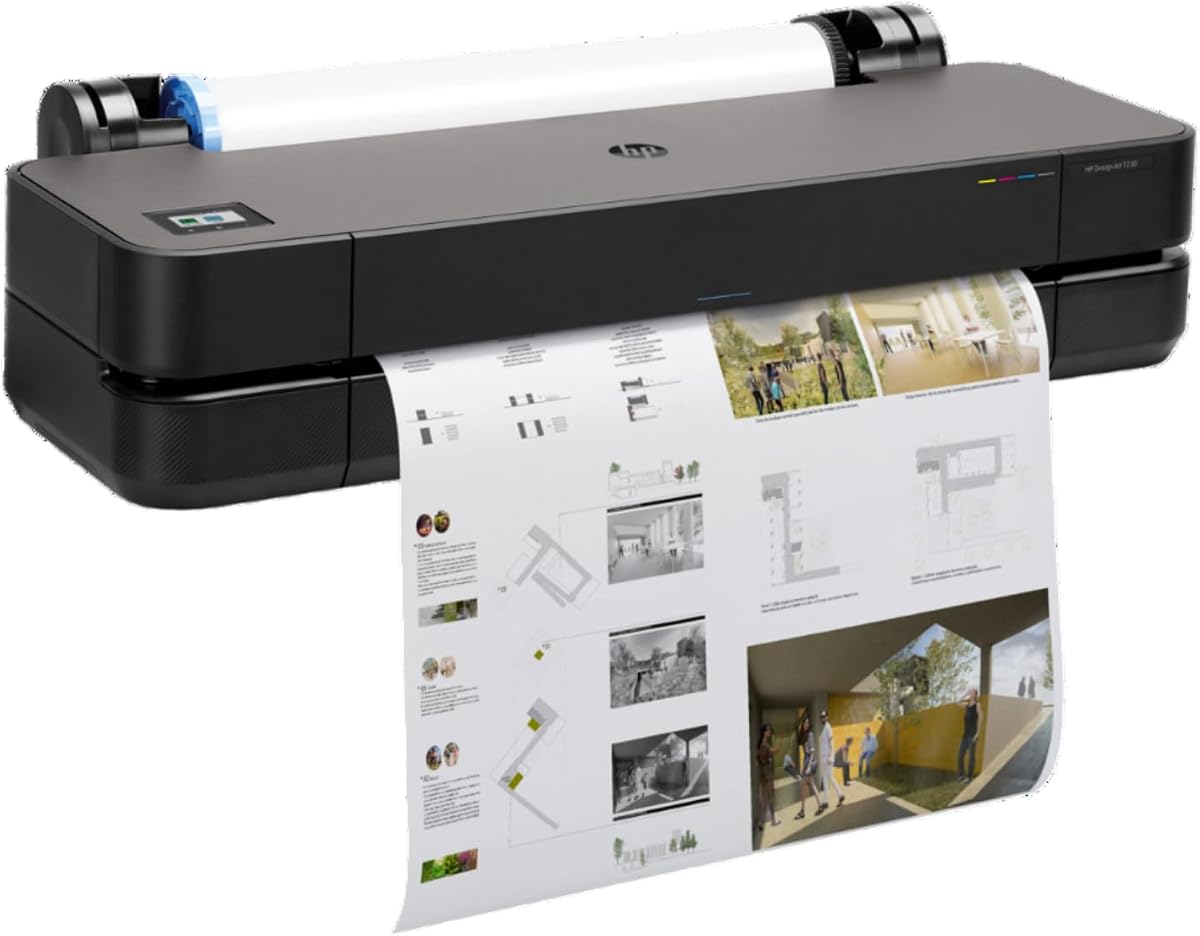


The HP DesignJet T210 is an excellent starting point for professionals needing reliable large format output without overspending. It scores highly for balancing cost with essential features like automatic cutting and easy file handling.
We may earn a commission when you buy through this link, at no additional cost to you.
Its HP Click software simplifies workflows by allowing direct printing from CAD applications with minimal setup. The printer supports both roll and sheet feeds automatically reducing manual intervention during long job lists.
While it lacks the speed of higher-end models the T210 maintains consistent line quality crucial for technical drawings. The 500MB memory is sufficient for most standard project files encountered in daily engineering or architectural tasks.
This model is ideal for small studios or individual consultants who prioritize budget efficiency. If you need basic large format capabilities with dependable performance the T210 offers strong value for your investment.
The T210 uses up to 95% less ink for maintenance compared to competitors which lowers long term operational costs significantly.
HP Click allows you to predefine settings and auto-nest files to save paper and reduce waste in your workflow.
We may earn a commission when you buy through this link, at no additional cost to you.
The T650 stands out as a top tier option for high volume environments where speed and reliability are critical. Its rating reflects user satisfaction with consistent performance and robust support features included out of the box.
We may earn a commission when you buy through this link, at no additional cost to you.
With 82 prints per hour on A1 size documents this printer keeps busy offices moving efficiently. The automatic media switching means you can load multiple job types without waiting for manual changes between rolls and sheets.
The included two-year onsite warranty provides peace of mind that is rare in this category. If an issue arises technicians can visit your location to resolve it quickly minimizing downtime for your project schedules.
Choose the T650 if you need professional grade output with minimal risk and maximum throughput. It is built to handle the demands of large firms where time is money and quality cannot be compromised.
Onsite support ensures rapid resolution of hardware issues which is vital for teams meeting tight project deadlines.
The automatic switch between sheet and roll feeds allows seamless transition between different project requirements.
We may earn a commission when you buy through this link, at no additional cost to you.
The T630 offers a comprehensive solution by including the stand and media bin directly with the unit. This makes setup easier and saves you from buying separate accessories that might not match in quality.
We may earn a commission when you buy through this link, at no additional cost to you.
Its connectivity suite includes Wi-Fi and Ethernet allowing flexible placement in your office. You can send jobs from various devices easily which helps teams collaborate more effectively on shared project files.
While it does not include an automatic cutter the included sheet feeder improves workflow for smaller tasks. This hybrid approach balances cost with convenience for environments that do not need continuous high volume output.
This model is perfect for firms that want a ready-to-use solution without extra assembly work. The included accessories provide a polished setup that looks professional and functions well for daily plotting needs.
Having the stand and bin included ensures a tidy workspace and reduces total setup time significantly.
Wireless and wired options allow you to place the printer where it fits best in your workflow.
We may earn a commission when you buy through this link, at no additional cost to you.
This bundle combines the affordable T210 hardware with an essential two-year care pack for enhanced security. It offers a middle ground between basic models and premium units by adding protection without the high initial price tag.
We may earn a commission when you buy through this link, at no additional cost to you.
The automatic cutter feature allows precise output for posters and signs without manual trimming. This saves time on finishing tasks and ensures consistent edge quality across all your printed materials.
It retains the cost efficiencies of the T210 series with significant ink savings for maintenance. This makes it a practical choice for businesses that need reliability but operate on tighter margins.
Select this pack if you want to safeguard your investment while keeping costs down. The combination of useful hardware features and onsite support coverage makes it a smart long term choice.
The included care pack ensures you have expert assistance if technical issues arise during critical project periods.
Automatic cutting provides clean edges for signs and posters reducing post-processing effort for staff.
We may earn a commission when you buy through this link, at no additional cost to you.
The T230 is positioned as a streamlined model for those who need essential plotting capabilities without unnecessary complexity. It includes the onsite warranty which is a valuable addition at this price point.
We may earn a commission when you buy through this link, at no additional cost to you.
Its automatic cutter ensures professional results for smaller prints without requiring manual intervention. This is particularly useful for shops that produce frequent signage or pattern cuts throughout the day.
It uses the same ink cartridges as the T210 series which simplifies procurement for offices already using HP supplies. The lower rating reflects fewer connectivity options compared to higher end models in the lineup.
This printer is suitable for small workspaces where budget is the primary concern. If your needs are limited to standard technical drawings and posters it delivers consistent quality with minimal overhead.
You get onsite support protection for less cost than many competitors offering similar hardware alone.
Fewer features mean less setup time and easier training for new staff members using the printer.
We may earn a commission when you buy through this link, at no additional cost to you.
The T850 stands out by offering a 36-inch width which is rare among affordable models in this comparison. This extra width allows for broader architectural plans and detailed maps without tiling.
We may earn a commission when you buy through this link, at no additional cost to you.
Its integrated input tray supports sheet feeding alongside roll feeds providing versatility for mixed job types. You can easily switch between formats without needing extra accessories or extensive manual handling.
Pigment based Flex Tech Inks provide durable color results suitable for outdoor signage as well as indoor maps. This makes it a versatile option for firms working on varied project types simultaneously.
Consider this model if your projects require wider formats than standard 24-inch printers can handle. While larger and more expensive it saves time by eliminating the need for multiple devices in your office.
The 36-inch width reduces the need for multiple prints on large maps improving overall project readability.
Sheet and roll options allow quick switching for different document types without complex setup changes.
We may earn a commission when you buy through this link, at no additional cost to you.
The T870 is designed for high volume environments where speed and security are top priorities. Its fast output rate ensures that large batches of drawings are completed quickly to keep projects on schedule.
We may earn a commission when you buy through this link, at no additional cost to you.
Security features help protect sensitive project data ensuring only authorized users can release print jobs. This is critical for firms handling confidential construction plans or proprietary engineering designs.
Included onsite support means you have immediate assistance if hardware issues occur during critical phases. The high memory allows handling of complex files without slowdowns during printing operations.
This model is best suited for large offices with strict security and speed requirements. If your workflow demands both protection and throughput the T870 delivers enterprise grade capabilities.
Secure print features prevent unauthorized access to sensitive documents and protect your intellectual property.
Fast speeds keep busy offices productive by reducing wait times for large and multiple file jobs.
We may earn a commission when you buy through this link, at no additional cost to you.
This Canon model is unique because it includes a flatbed scanner for enlargements and copying directly from the machine. This multifunction capability reduces the need for separate devices in your workspace.
We may earn a commission when you buy through this link, at no additional cost to you.
The touchscreen interface allows intuitive navigation of functions and printing without needing a computer nearby. USB Flash drive support adds convenience for quick prints directly from portable storage.
Cloud printing and scanning capabilities help teams share digital copies easily without physical handoffs. This modern connectivity is useful for remote work or distributed project management.
Choose this if you need a single device that handles printing scanning and copying for your office. It simplifies your equipment list while maintaining solid print quality for standard tasks.
Built-in scanning and enlargements save time by allowing one-stop document management for your team.
The touchscreen LCD simplifies operation so staff can use it without extensive training sessions.
We may earn a commission when you buy through this link, at no additional cost to you.
This Canon printer is specialized for producing high quality fine art prints rather than technical drawings. Its ratings reflect user satisfaction with color fidelity and paper handling for artistic projects.
We may earn a commission when you buy through this link, at no additional cost to you.
The Platinum Reseller connection ensures access to expert support and genuine supplies which maintains print quality. Onsite warranty coverage adds reliability for studios that rely on consistent output for client work.
It supports a wide range of specialty media including watercolor papers and canvas that standard plotters cannot handle. This makes it ideal for photographers or artists requiring archival quality results.
Select this model if your primary need is artistic output rather than technical CAD files. It offers precision and quality tailored specifically for visual arts and high fidelity reproduction.
The printer is tuned to reproduce subtle tones and colors essential for professional fine art work.
Partner support provides guidance on media settings to ensure consistent high quality results every time.
We may earn a commission when you buy through this link, at no additional cost to you.
The T830 combines printing scanning and copying into a single compact unit which is ideal for smaller offices. Wireless connectivity ensures easy access from tablets or laptops without needing physical connections.
We may earn a commission when you buy through this link, at no additional cost to you.
Its mobile printing support allows teams to print from devices on the go which improves workflow efficiency. Security features prevent unauthorized access to print jobs which helps maintain data integrity.
Despite its multifunction nature it maintains the print quality HP is known for with technical documents. It balances advanced features with usability making it a smart choice for collaborative workspaces.
Consider this printer if you need all-in-one functionality in a smaller space. It streamlines document management and printing for teams that require flexibility and secure output daily.
Mobile printing options allow staff to send jobs from anywhere in the office without cables.
Printing scanning and copying in one unit reduces equipment costs and space requirements significantly.
We may earn a commission when you buy through this link, at no additional cost to you.
Selecting the right plotter requires understanding your specific output needs and technical requirements. This section outlines key factors to consider before making your final decision.
Determine the maximum width you need for your projects. Standard 24-inch models cover most architectural and engineering needs while 36-inch options handle wider maps or banners without tiling.
Always choose a printer that supports the largest media size you expect to use regularly to avoid future limitations.
Check the pages per hour rating to ensure it matches your workload. High volume offices benefit from faster models while occasional users can save money with slower units.
Speed is critical if you often print large batches for client reviews or site meetings.
Look for Gigabit Ethernet Wi-Fi and USB ports for flexible integration. Mobile support allows printing from phones or tablets which is useful for on-site work or remote teams.
Strong connectivity ensures the printer fits easily into your existing network without complex setup.
Automatic sheet feeders and cutters improve workflow efficiency. They reduce manual intervention when switching between roll and sheet media or trimming printed pages.
Models with dual media sources save time and keep staff focused on core project tasks.
Built-in tools like HP Click help manage large files and reduce paper waste. Compatibility with common CAD programs ensures you can print directly from your design software.
Easy to use software simplifies the job submission process for staff with varying technical skills.
Consider the cost of cartridges and maintenance kits over the printer's life. Some models use less ink for routine cleaning which lowers total cost of ownership.
Choosing cost-effective consumables helps manage long term operational budgets effectively.
Onsite warranty and care packs protect your investment against unexpected hardware failures. These services are vital for business continuity if a critical project deadline is approaching.
Always check if support is included in the price or requires an additional purchase.
Measure your available desk or floor space before buying. Larger 36-inch models require significant room while 24-inch units are more compact and easier to place.
Ensure there is enough clearance for loading rolls and removing cut sheets safely.
Start by installing the included driver software and connecting the printer to your network. Use the HP Smart app or standard printer settings to test a simple print job.
Load your chosen media carefully following the printer's manual instructions to avoid jams. Keep unused rolls in a dry place to prevent ink absorption issues.
Clean the printheads regularly using the built-in utility to maintain line quality. Replace cartridges promptly when low ink warnings appear to avoid print defects.
A plotter uses vector graphics to draw continuous lines ideal for CAD designs while a large format printer creates raster images for photos. Many modern large format printers combine both capabilities.
Replacement frequency depends on your usage volume and print type. Light users may last months while high volume offices replace them weekly. Always use original cartridges to ensure quality.
Yes most models support a range of media including vinyl and glossy finishes. Check the manual for specific media types to ensure your chosen printer handles them correctly.
HP Click helps manage print jobs and reduces errors by previewing files. It allows auto-nesting to save paper and streamlines the process from design to print.
Yes all models listed support both Mac and Windows operating systems. Drivers are usually available for download to ensure full compatibility with your current setup.
Run the built-in cleaning utility from the printer menu to clear minor clogs. For persistent issues check the manual for advanced cleaning steps or contact support for assistance.
Our top picks include the T210 for budget users and the T650 for those needing speed and support. Each model offers distinct strengths to fit various professional requirements and office setups.
Prioritize features that match your daily workflow such as connectivity options and media handling. Balancing initial cost with long term operational needs will lead to the best choice.
Always verify current pricing and warranty details before purchasing as these change often. This ensures you get the most value and protection for your specific investment.