
SUPVAN T50M Pro Bluetooth Label Maker Machine with Tape, Black
4.5Editor score
Free app editing
Inkless thermal print
Wide label compatibility
This comprehensive guide compares the top 10 label printers with clear tape for home office and small business organization featuring detailed reviews and key
Finding the right labeling solution is essential for maintaining an organized home or efficient workspace. A label printer with clear tape allows you to create professional and labels that blend seamlessly with any surface while providing clear readability for long-term use.
We have evaluated ten distinct models ranging from compact handheld units to robust desktop machines. Each product was assessed based on print quality, battery life, ease of use, and specifically its compatibility with clear tape media to ensure versatility across various labeling tasks.
Every pick in this list highlights specific strengths such as portability design app integration or included tape bundles. Please note that product availability and pricing can fluctuate frequently so always verify the current details before making your final purchase decision.
4.5Editor score

4.5Editor score

4.6Editor score
The following table provides a side by side comparison of the top ten label printers to help you quickly identify key differences in specifications compatibility and included accessories for your specific labeling needs.




The SUPVAN E11 stands out as a versatile tool that combines traditional keyboard input with modern Bluetooth capabilities. With a solid rating of 4.5 stars users appreciate its ability to produce high quality labels without excessive material waste.
We may earn a commission when you buy through this link, at no additional cost to you.
This device shines due to its intelligent app integration which offers over 660 icons and 30 fonts for creative customization. The rechargeable 1200 mAh battery ensures you can label for up to a month on a single charge making it ideal for large organizational projects.
While the minimal margin printing saves money on tape the reliance on a smartphone for full design features might be a slight drawback for those who prefer entirely standalone operation. However the keyboard offers a quick alternative for standard labels.
If you need a reliable label printer with clear tape that balances cost efficiency with creative control this model is an excellent choice for home and office use. Its compact size fits easily in any drawer for easy access whenever you need to label something.
The 0.2 inch margin reduces tape usage significantly compared to standard printers helping you save money over time while maintaining professional label edges.
Weighing only 0.5 pounds and featuring a one month battery life this machine is perfect for labeling on the go without needing constant power access.
We may earn a commission when you buy through this link, at no additional cost to you.
This bundle from DYMO is a straightforward solution for anyone needing immediate labeling capabilities including clear tape right out of the box. It holds a high rating of 4.6 stars reflecting its reliability and ease of use for home organization tasks.
We may earn a commission when you buy through this link, at no additional cost to you.
The QWERTY keyboard makes typing quick and intuitive while the 13 character display allows you to preview your text before printing. The inclusion of both white and clear tapes ensures you can tackle different surface types without buying extra rolls.
Users should note that this model relies on AA batteries rather than a rechargeable system which may be less convenient for frequent use. However the auto off feature helps extend battery life significantly between replacements.
For those who prioritize simplicity and brand reputation this handheld label printer with clear tape offers a no fuss experience. It is perfect for quick tasks like labeling shelves or files where advanced design features are not required.
Having both black on white and black on clear labels included means you can start organizing your space immediately without visiting a store for supplies.
With seven print styles and eight box styles you can differentiate between types of labels easily adding a professional touch to your organizational system.
We may earn a commission when you buy through this link, at no additional cost to you.
The DYMO 100H is designed for users who want a robust handheld device with a variety of tape options included in the package. It earns a strong 4.6 star rating thanks to its consistent performance and user friendly interface.
We may earn a commission when you buy through this link, at no additional cost to you.
This model features a graphical display that helps you visualize your label before printing ensuring accuracy every time. The bonus pack includes paper and clear plastic tapes allowing you to label diverse items from files to jars.
While it lacks modern app connectivity the physical keyboard and intuitive buttons make it accessible for all ages. The auto off feature ensures that you do not drain batteries unnecessarily when the device is left idle.
If you are looking for a durable label printer with clear tape that works right out of the box this option is highly recommended. It is particularly suited for office environments where speed and reliability are paramount.
Included tapes cover white paper white plastic and clear plastic giving you maximum versatility for different labeling scenarios without extra purchases.
The graphical display ensures you can check fonts and effects before printing reducing waste and ensuring your final labels look exactly as intended.
We may earn a commission when you buy through this link, at no additional cost to you.
The SUPVAN T50M Pro offers an affordable entry point into Bluetooth label printing with a robust set of features that rival more expensive models. It holds a 4.5 star rating and is praised for its high resolution output and ease of use.
We may earn a commission when you buy through this link, at no additional cost to you.
Its app allows you to import images and customize labels with thousands of icons and frames all without needing to pay for software updates. The thermal printing technology means you never need to buy ink or toner saving you money in the long run.
Because this printer relies on a phone for design you might find it less convenient if you frequently label in areas with poor connectivity. However the auto label size recognition simplifies the setup process significantly.
For those seeking a budget friendly label printer with clear tape that does not compromise on design quality this model is a top contender. It is ideal for small businesses or home users who want professional looking labels on a budget.
Enhanced image processing in the app ensures that logos and pictures appear sharp and clear on the labels for a professional finish.
The thermal technology eliminates the need for ink cartridges reducing the total cost of ownership and making it economical for high volume labeling.
We may earn a commission when you buy through this link, at no additional cost to you.
The Brother P-Touch PT-N20 brings a unique twist to labeling by using exclusive Btag tapes that offer vibrant color options. It has a solid 4.3 star rating and is well liked for its ability to make labeling fun and expressive.
We may earn a commission when you buy through this link, at no additional cost to you.
This device includes a built-in cutter that ensures every label has clean smooth edges without the need for separate scissors. You can save up to 10 labels in memory making it easy to re-print frequently used items like name tags.
While the Btag tapes are colorful they are limited to half-inch width which might not be suitable for all labeling needs. Additionally the printing is monochrome on these tapes so the color comes from the tape background itself.
If you want a label printer with clear tape that also supports colorful options for personal items or craft projects this is a great choice. It works well for organizing dorm rooms or studios where visual appeal is important.
The integrated cutter allows you to type print and cut in one smooth motion saving time and ensuring neat professional edges on every label.
With 17 colorful tape options you can create labels that stand out visually helping you to organize by color or add a fun touch to your items.
We may earn a commission when you buy through this link, at no additional cost to you.
The Brother PTD220 is designed for everyday use in home offices and small workplaces where consistent labeling is key. It holds a 4.5 star rating and is valued for its extensive memory and template library.
We may earn a commission when you buy through this link, at no additional cost to you.
You can save up to 30 labels for quick re-printing which is excellent for recurring tasks like inventory or file management. The 25 pre-set templates speed up the process of creating standard labels without manual formatting.
Although it does not come with clear tape in the box it is fully compatible with Brother TZe tapes including clear options for you to purchase separately. The 6 AAA battery power ensures it can work wherever you need it.
For users who need a reliable label printer with clear tape compatibility for a busy office this model is a strong candidate. Its ability to handle high volume labeling efficiently makes it a practical tool for daily organization.
Saving 30 labels in memory means you can quickly access and reprint common labels without retyping the text or reformatting the design.
Pre-loaded templates for home and office tasks allow you to create professional looking labels in seconds without needing design experience.
We may earn a commission when you buy through this link, at no additional cost to you.
This starter kit from Dymo provides everything you need to begin organizing your home or office immediately. With a 4.3 star rating it is appreciated for its straightforward functionality and the inclusion of both paper and clear tape.
We may earn a commission when you buy through this link, at no additional cost to you.
The thermal printing technology means you will never need to replace ink or toner cartridges keeping maintenance low and costs predictable. The date stamp feature is particularly useful for marking expiration dates on food or storage items.
While it offers less customization than high-end models its simplicity is a strength for basic labeling needs. The automatic off feature conserves power and the easy peal backing makes applying labels a smooth experience.
If you want a no-fuss label printer with clear tape that is easy to use for all members of the family this is a great option. It covers the essentials perfectly without overwhelming you with unnecessary features.
The built-in date stamp allows you to easily track when items were labeled helping you manage inventory and expiration dates effectively.
The clear tape backing peels cleanly without leaving residue so your labels adhere securely and remove easily when you need to change them.
We may earn a commission when you buy through this link, at no additional cost to you.
The Phomemo D30 is an ultra portable thermal printer that fits easily into your pocket or bag for labeling on the go. It has a 4.3 star rating and is popular for its rechargeable battery and versatile app features.
We may earn a commission when you buy through this link, at no additional cost to you.
It comes with three tapes including a clear option so you can start using it immediately for jars or bins. The app supports QR codes and barcodes which makes it useful for small business inventory or library organization.
Because it uses thermal technology you do not need to buy ink but you must purchase compatible tapes for color variations. The print is monochrome on the tape so the color comes from the tape itself rather than the printer.
For travelers or small businesses needing a compact label printer with clear tape this is an ideal solution. Its portability and battery life make it perfect for labeling events or temporary setups.
Weighing just a few ounces this printer slips into any pocket allowing you to print labels wherever you are without carrying a heavy device.
Generate barcodes and QR codes directly from the app turning it into a versatile tool for inventory and product management tasks.
We may earn a commission when you buy through this link, at no additional cost to you.
This kit from Dymo holds an impressive 4.7 star rating due to its complete bundle of paper plastic and clear tapes. It is designed for users who want maximum versatility from day one without purchasing extra rolls.
We may earn a commission when you buy through this link, at no additional cost to you.
The graphical display lets you see exactly how your text will look before it prints reducing the chance of errors. The thermal print method means no ink is required making it a cost effective solution for home and office use.
The clear tape included is durable and resistant to fading which is perfect for labeling jars or glass containers. While it is limited to black text the clear background ensures high readability against various surfaces.
If you want a highly rated label printer with clear tape that includes a comprehensive tape selection this is a top choice. It is especially useful for those who need to label diverse materials like paper and plastic.
Getting three distinct tape types in one box ensures you are prepared for any labeling task from paper files to plastic bins.
The display screen allows for accurate visualisation of fonts and styles ensuring your labels look professional before you print them.
We may earn a commission when you buy through this link, at no additional cost to you.
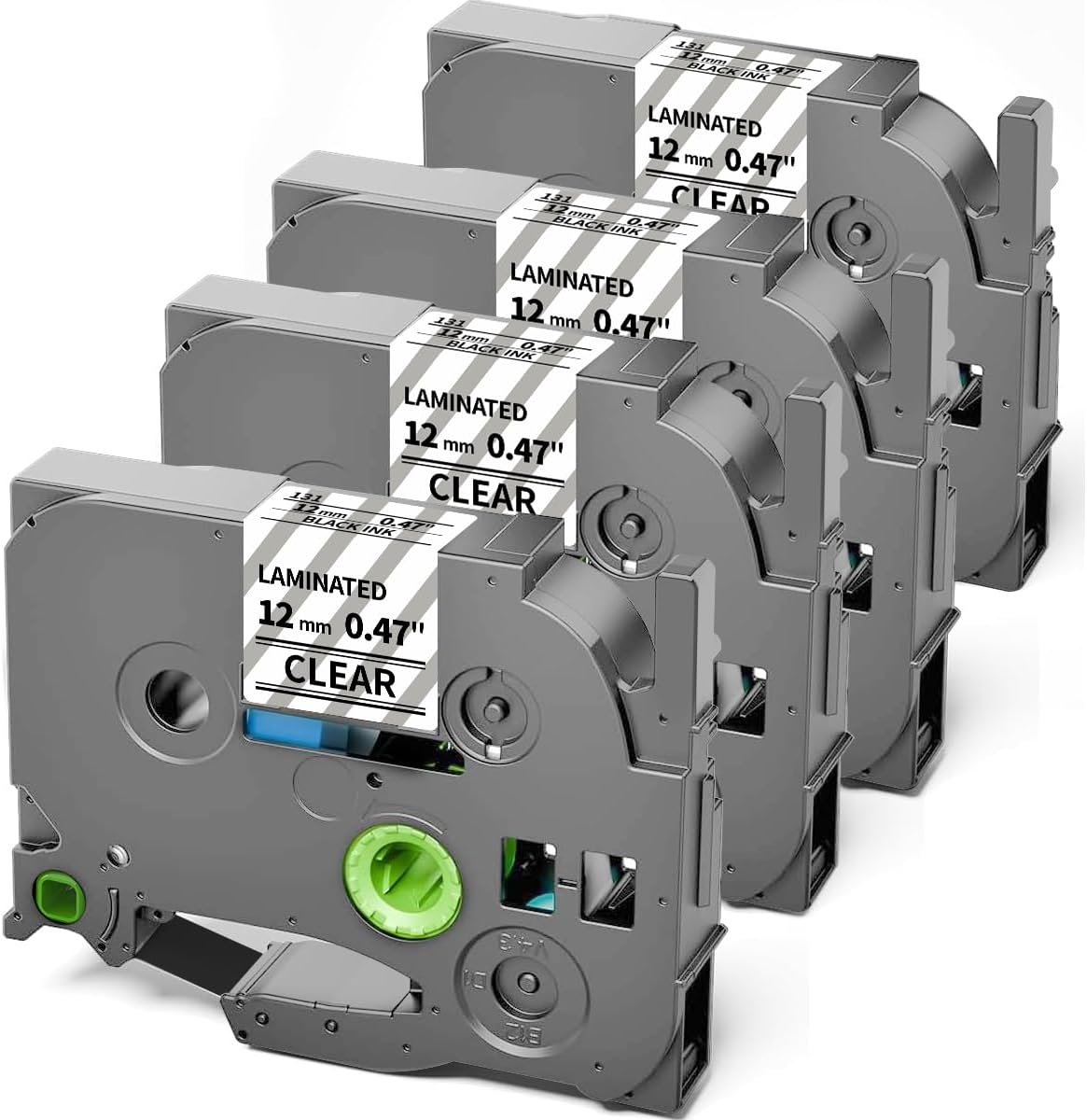
For owners of Brother P-Touch printers this TZe tape is an essential accessory that provides durable clear labeling. With a 4.6 star rating it is valued for its high quality lamination and broad compatibility across many models.
We may earn a commission when you buy through this link, at no additional cost to you.
The tape is laminated to resist abrasion and fading which is ideal for harsh environments like garages or kitchens. The split backing makes it easy to peel and stick so you can apply labels quickly without wrinkles or bubbles.
Each pack provides 8 meters of tape ensuring you have enough for a large organizational project. The clear background allows the black text to pop ensuring high readability and professional aesthetics.
If you already own a compatible printer this clear tape refill is a necessary purchase for effective labeling. It is a cost effective way to maintain a clear tape supply without buying a new printer.
The laminated surface protects the text from moisture and scratching ensuring your labels remain readable even in tough conditions.
The unique split backing design allows you to separate the tape from the core easily making application much faster and smoother.
We may earn a commission when you buy through this link, at no additional cost to you.
Selecting the right label printer requires evaluating specific features that match your organizational needs. This guide outlines the critical factors to consider to ensure you get a device that works well with clear tape.
Most modern label printers use thermal technology which eliminates the need for ink or toner. This method is ideal for clear tape because it produces crisp black text that contrasts well against the transparent background.
Look for thermal printers that promise high resolution to ensure legibility on small items.
Ensure the printer supports the width and type of clear tape you need. Some devices only work with proprietary cartridges while others accept broader options. Check if clear tape is included or must be bought separately.
Verify that the tape width matches the intended use such as half inch for small items or wider for shelves.
Bluetooth models allow you to design labels on your phone offering advanced features like images and custom fonts. Standalone models with keyboards are faster for simple text but lack design flexibility.
Choose Bluetooth if you want creative control or a keyboard if you need speed and simplicity.
If you plan to label in multiple rooms check the battery life. Rechargeable batteries are more convenient than AA batteries which need frequent replacement. Weight is also a factor for handheld devices.
Prioritize rechargeable models for all day use without worrying about finding spare batteries.
A graphical display lets you see the label exactly as it will print reducing errors. A 16 character display is sufficient for short texts but graphical screens are better for complex designs.
Always choose a model with a preview function to save tape and avoid mistakes.
Memory allows you to save frequently used labels for quick reprinting. Templates speed up the process for common tasks like inventory or pantry items.
Look for at least 10 saved labels if you plan to reuse the same names often.
Consider the long-term cost of the tapes. Proprietary tapes can be expensive while third-party compatible tapes may offer better value. Check if the printer accepts standard widths.
Calculate the cost per label to ensure the printer fits your budget over time.
Labels in kitchens or garages need to resist water and heat. Ensure the clear tape you choose is laminated or rated for these conditions to prevent fading or peeling.
Select a machine and tape combination that matches the environment where labels will be placed.
Begin by ensuring the tape roll is securely loaded into the cartridge holder. For Bluetooth models pair the device with your phone via settings before opening the app to ensure seamless connectivity.
Type your text or select a template in the app or on the keyboard. Preview the label on the screen to check for spelling errors or layout issues before pressing print.
Apply the label to a clean dry surface to ensure adhesion. Store the printer in a cool dry place away from direct sunlight to protect the electronic components and the remaining tape.
Not all printers work with clear tape but most thermal models do. Check the product specifications to ensure the device supports clear tape cartridges or compatible third-party options before purchasing.
If the label is hard to read the surface you are printing on may be colored or shiny. For best results use clear tape on light-colored smooth surfaces or switch to black on clear tape for contrast.
High quality laminated clear tape can last for years without fading. If printed in direct sunlight or harsh weather it may fade sooner so consider UV-resistant tape for outdoor use.
Yes Bluetooth printers allow you to print images on clear tape through their apps. However the print will still be black monochrome so the image will only be visible if the background is light.
Clear tapes are often slightly more expensive due to the material cost but the difference is usually minimal. Buying in bundles or packs can lower the cost per foot significantly.
Gently wipe the print head with a soft lint-free cloth moistened with isopropyl alcohol. Ensure the printer is turned off and cool before cleaning to avoid damage to the internal components.
Many handheld label printers use AA batteries while others have rechargeable lithium-ion batteries. Check the product specs to know if you need to buy batteries separately or just a charger.
Yes clear tape is ideal for plastic bins because it blends in and keeps the look clean. Ensure the surface is clean before applying to maximize adhesion and prevent peeling.
We have reviewed ten exceptional label printers that excel in clear tape compatibility and overall performance. From the versatile SUPVAN E11 to the reliable DYMO bundles there is a perfect match for every budget and workflow.
When choosing your next label printer prioritize the features that matter most to you such as battery life app integration or included tape bundles. Ensure the device fits your specific organizational needs for best results.
Prices and availability for these products change frequently so check the current details before buying. Investing in a quality printer will save you time and keep your home or office organized for years to come.