
Logitech G305 Lightspeed
4.6Editor score
HERO 12K sensor for accuracy
Ultra-fast LIGHTSPEED wireless
250 hour battery life
Discover the 10 best lightweight mouse options for gaming and work in October 2026. We compare sensor performance, battery life, ergonomics, and build quality.
Finding the right lightweight mouse can transform your daily computing experience. Whether you are a competitive gamer seeking speed or a professional needing precision, a lightweight design reduces fatigue and improves control during long sessions.
Our team analyzed the latest models from leading brands to compile this definitive list. We evaluated sensor accuracy, build materials, battery efficiency, and user feedback to ensure each recommendation delivers exceptional value and performance for diverse needs.
Each pick below highlights key strengths and specific use cases to help you decide quickly. Please note that product availability and pricing may fluctuate over time, so verify current details before making your final purchase decision today.
4.6Editor score

4.5Editor score

4.6Editor score
This side-by-side comparison highlights the critical specifications of each model to help you evaluate performance, features, and suitability for your specific gaming or professional workflow requirements effectively.





The Logitech G305 Lightspeed stands out as a top contender for those seeking a high-performance lightweight mouse without breaking the bank. With a rating of 4.6 stars from countless users, it delivers on the promise of efficient wireless gaming and reliable everyday use.
We may earn a commission when you buy through this link, at no additional cost to you.
Its HERO sensor offers incredible accuracy and power efficiency, ensuring you never miss a shot or cursor movement. The LIGHTSPEED wireless technology provides a lag-free 1ms report rate, making it feel just like a wired mouse while keeping cables out of your way.
While the design is minimal and lacks the flashy RGB lights found on premium models, this simplicity contributes to its weight savings and long battery life. The single AA battery powers up to 250 hours of gameplay, reducing maintenance and cost over time.
If you are looking for a portable, reliable, and affordable wireless option that does not compromise on sensor quality, the G305 is an excellent choice. It is particularly well-suited for budget-conscious gamers or travelers who need performance on the go.
The G305 uses a single AA battery to deliver up to 250 hours of continuous use, making it ideal for users who do not want to charge their device constantly.
With a compact design and built-in nano receiver storage, this mouse slips easily into laptop bags for travel without adding bulk or sacrificing connectivity.
We may earn a commission when you buy through this link, at no additional cost to you.
The white variant of the Logitech G305 offers the same exceptional performance as its black counterpart but with a brighter aesthetic that fits many modern setups. It maintains the high ratings and user trust associated with the G305 series.
We may earn a commission when you buy through this link, at no additional cost to you.
Featuring the same next-generation HERO sensor, it ensures unrivaled gaming performance and accuracy. The advanced LIGHTSPEED wireless technology guarantees a super-fast 1ms response time, keeping your gameplay smooth and responsive without any noticeable delay.
While the white finish may show dust or smudges more easily than darker colors, it provides a clean look that complements white accessories or minimalist desks. The battery life remains excellent, offering up to 250 hours on a single AA battery.
This model is perfect for users who prioritize style alongside function. If you want a lightweight wireless mouse that looks great and performs reliably without demanding a premium budget, this white edition is a strong recommendation.
The sleek white finish allows this mouse to blend seamlessly with light-colored peripherals and desk setups, offering a visually cohesive workspace.
Its compact shape and built-in storage for the USB receiver make it easy to toss in a backpack for gaming sessions away from home.
We may earn a commission when you buy through this link, at no additional cost to you.
The Logitech G PRO X Superlight 2 sets a new benchmark for lightweight wireless gaming mice. With a rating of 4.5 stars, it is engineered to win in collaboration with leading esports pros, delivering championship-level performance in a compact form.
We may earn a commission when you buy through this link, at no additional cost to you.
Its HERO 2 sensor tracks over 400 IPS with up to 44,000 DPI, offering precise calibration without smoothing or acceleration. The zero-additive PTFE feet ensure a smooth glide, while LIGHTFORCE hybrid switches provide pro-level precision and tactile feedback.
Weighing just 60 grams, this mouse reduces fatigue during long sessions without sacrificing durability. The 8 kHz polling and USB-C charging add modern conveniences, though the lack of RGB keeps the focus purely on performance and weight efficiency.
For competitive gamers and enthusiasts who demand the best precision and speed, this mouse is worth the investment. It excels in high-stakes scenarios where every millisecond and millimeter counts for success in the arena.
The HERO 2 sensor delivers advanced tracking capabilities that exceed standard gaming needs, ensuring accurate movements even at high speeds.
At only 60 grams, this design minimizes strain on your hand and arm, allowing for rapid movements and quick reactions during intense gameplay.
We may earn a commission when you buy through this link, at no additional cost to you.
The Logitech G PRO X2 SUPERSTRIKE is a powerhouse designed for those who want the absolute cutting edge of click technology. With a 4.6 rating, it introduces the Haptic Inductive Trigger System, giving real-time feedback for a truly immersive gaming experience.
We may earn a commission when you buy through this link, at no additional cost to you.
This mouse is designed with the world's best esports athletes in mind, delivering 30ms faster clicks for peak performance. The HERO 2 sensor ensures pinpoint accuracy, while the thin-wall case and extra-large feet make movement effortless and durable.
While the price is high, the level of customization and speed offered is unmatched in the current market. The haptic feedback allows for deeper immersion, and the 8 kHz polling ensures your actions are registered instantly without any lag.
If you are an enthusiast looking to dominate the competition with the fastest possible inputs and want a mouse that pushes the boundaries of tech, this is the ultimate choice. It is built for pros who need every possible advantage.
This breakthrough system replaces standard switches with an electromagnetic field, offering a unique tactile feel and faster response times for any game scenario.
With 30ms faster clicks than standard wireless mice, this model ensures your commands are executed at the fastest possible speed for competitive play.
We may earn a commission when you buy through this link, at no additional cost to you.
The Redragon M612 offers incredible value for gamers who prefer a wired connection and do not want to spend much. It scores high on user reviews for its solid performance, comfortable design, and rich feature set that includes multiple RGB modes.
We may earn a commission when you buy through this link, at no additional cost to you.
Equipped with an 8000 DPI optical sensor and five definable levels, it adapts to different game needs easily. The 11 programmable buttons and side macros provide tactical keybinds that enhance your gameplay and productivity across various applications.
The frosted coating and ergonomic shape make it comfortable for extended use, reducing fatigue even after long sessions. While it does not have the wireless freedom of other models, its low price and robust features make it a top contender for budget builds.
If you are looking for a reliable, comfortable, and fully customizable mouse that looks great with RGB lighting but stays within a tight budget, this is a fantastic pick. It delivers on key performance metrics without the premium price tag.
The dynamic RGB backlighting offers five distinct modes that let you personalize your gaming space and match your other peripherals for a cohesive look.
The streamlined design and rubber texture on the left side provide a stable hold, making it easier to control during fast-paced gaming or work.
We may earn a commission when you buy through this link, at no additional cost to you.
The Logitech G502 Hero is a legend in the gaming world, offering a balance of precision, features, and customization that is hard to match. With a 4.6 rating, it stands out for its ability to adapt to your unique grip and weight preferences.
We may earn a commission when you buy through this link, at no additional cost to you.
The HERO sensor tracks movements with zero smoothing or acceleration up to 25600 DPI, ensuring pixel-perfect accuracy. You can adjust the weight by adding up to five weights to fine-tune the balance, making it feel perfect for your hand.
While it may not be the lightest option on this list, the adjustability is a key feature for those who prefer a bit of heft for control. The mechanical switch tensioning and LIGHTSYNC RGB add durability and style to the package.
This mouse is ideal for gamers who want a robust, feature-packed device that can evolve with their playstyle. If you value precision and the ability to customize your mouse's physical feel, the G502 Hero remains a top choice.
Adjustable weights allow you to shift the center of gravity, giving you a fully tailored feel that matches your specific grip style and preferences.
Capable of detecting movements at the sub-micron level, this sensor delivers pinpoint accuracy that is crucial for high-performance gaming and precision tasks.
We may earn a commission when you buy through this link, at no additional cost to you.
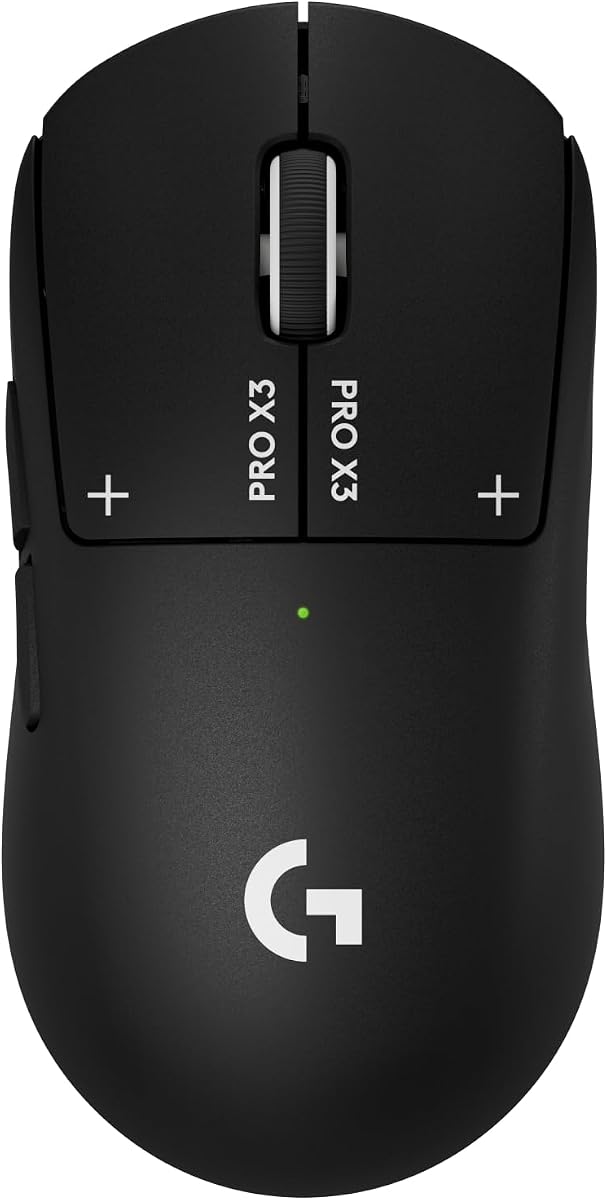
The Logitech G PRO X3 SUPERSTRIKE brings haptic innovation to the wireless market, aiming to replace standard switches with an electromagnetic field for superior responsiveness. It is rated well for its advanced features and seamless connectivity for PC gaming.
We may earn a commission when you buy through this link, at no additional cost to you.
Its HERO 2 sensor tracks over 930 IPS with up to 48,000 DPI, providing the exact precision needed for high-stakes matches. The LIGHTSPEED wireless technology ensures zero lag with up to 8 kHz polling, keeping your experience highly responsive.
The haptic system offers a unique feel that can be programmed to specific actions, enhancing immersion. With a battery life of up to 135 hours and USB-C charging, it supports marathon sessions without needing frequent recharges or interruptions.
For those who want a wireless mouse with cutting-edge feedback and speed, this model is a strong contender. It is designed for pros who need every advantage and are willing to invest in top-tier performance and battery reliability.
The electromagnetic field replaces traditional switches, delivering customizable reset points and actuation that improve speed and tactile feedback for gamers.
With up to 135 hours of battery life, this rechargeable mouse ensures continuous play without the hassle of frequent charging or battery swaps.
We may earn a commission when you buy through this link, at no additional cost to you.
The Logitech M185 is a simple, reliable wireless mouse designed for everyday office work and productivity. With a 4.4 rating, it excels as a portable companion for laptop users who value battery life and ease of use over advanced features.
We may earn a commission when you buy through this link, at no additional cost to you.
Its ambidextrous shape means it fits comfortably in either hand, making it suitable for shared workspaces or quick switching between left and right-handed users. The compact size fits easily into bags for travel or meetings.
The mouse offers up to one year of battery life thanks to smart sleep modes, reducing the need for frequent changes. With a strong connection up to 33 feet and plug-and-play simplicity, it works instantly with most computers.
If you need a no-fuss, durable, and affordable mouse for browsing, documents, or light work, this model is perfect. It prioritizes reliability and comfort, offering better productivity than a touchpad at a very accessible price point.
Smart sleep mode helps the mouse conserve power, allowing it to run for a full year on a single battery to save hassle and costs.
The small footprint makes it ideal for tight desks or travel, ensuring you always have precise cursor control wherever you go.
We may earn a commission when you buy through this link, at no additional cost to you.
The Logitech M330 Silent Plus is designed to keep your workspace quiet while maintaining full productivity. With a 4.5 rating, it uses SilentTouch Technology to reduce clicking sounds by over 90 percent, perfect for shared offices or libraries.
We may earn a commission when you buy through this link, at no additional cost to you.
Its contoured shape and grips provide long-lasting comfort for right-handed users, ensuring that you can work for hours without hand strain. The battery lasts up to 18 months, allowing you to focus on work without worrying about power.
Despite its silent nature, it does not compromise on accuracy. The optical tracking works on most surfaces, and the plug-and-play setup means you can start using it immediately without installing software or drivers on your system.
If you are looking for a mouse that respects your colleagues and your own need for a peaceful environment, this is the ideal choice. It balances comfort, silence, and battery efficiency for a smooth daily experience.
SilentTouch technology ensures that your clicks are nearly silent, helping to maintain a quiet atmosphere in any environment.
The contoured design supports your hand naturally, reducing fatigue during extended periods of use in an office or home setup.
We may earn a commission when you buy through this link, at no additional cost to you.
The Logitech MX Master 4 is the latest evolution in the legendary MX series, bringing haptic feedback and advanced customization to your desk. With a 4.2 rating, it is designed to keep you in flow with intuitive buttons and ergonomic comfort.
We may earn a commission when you buy through this link, at no additional cost to you.
The Haptic Sense Panel allows you to feel customizable feedback on specific actions, while the Actions Ring adapts to each app to place shortcuts and filters at your fingertips. The MagSpeed scroll wheel lets you scroll 1,000 lines per second.
Its ergonomic tilt and thumb wheel reduce hand stress, making it a top choice for professionals who spend hours navigating complex documents or media. Quiet clicks further enhance focus by minimizing noise distractions during important work sessions.
If you want a mouse that boosts productivity with smart features and superior comfort, the MX Master 4 is a standout pick. It is built for power users who demand reliability and precision in a fully ergonomic package.
The MagSpeed scroll wheel offers a quiet, precise, and fast scrolling experience that can handle long documents and web pages with ease.
Haptic feedback gives you a subtle physical cue for actions, helping you confirm commands without needing to look away from your main task.
We may earn a commission when you buy through this link, at no additional cost to you.
Selecting the ideal lightweight mouse involves evaluating several key factors that affect comfort, performance, and durability. This section breaks down what you should look for before making your final decision to ensure long-term satisfaction.
The sensor is the heart of your mouse, determining how well it tracks movement. Look for modern optical sensors like HERO or similar technologies that offer high DPI ranges up to 25,000 or more. This ensures smooth tracking on different surfaces without jitter.
Higher DPI is not always necessary, but a high-quality sensor guarantees that your movements are translated accurately on screen. Always check if the sensor supports adjustable DPI settings to suit different tasks like gaming or detailed design work.
Lightweight mice are defined by their mass, often ranging from 60 to 80 grams for gaming. A lighter mouse reduces strain on your wrist and allows for quicker reactions. However, the shape must also fit your hand size and grip style to prevent fatigue.
Test the ergonomic shape if possible or check reviews to see if it supports palm, claw, or fingertip grips. The best lightweight mouse balances low weight with a contour that feels natural in your hand over hours of use.
Wireless mice offer freedom from cables but rely on battery power and connection stability. Modern wireless tech like LIGHTSPEED provides 1ms response times comparable to wired mice, making them viable for gaming. Wired mice eliminate battery concerns but restrict movement.
If you prioritize clutter-free setups, choose a wireless model with a reliable dongle or Bluetooth. For pure performance without charging worries, a high-quality wired option might be better depending on your specific usage needs.
Battery life varies significantly between models, from months on AA batteries to daily charging on USB-C. For wireless options, check if it uses replaceable batteries or has a built-in rechargeable system. Some mice also support passive charging via mousepads.
Long battery life is crucial for uninterrupted work or gaming sessions. Consider whether you prefer the convenience of a rechargeable unit or the simplicity of swapping AA batteries when the power runs low.
Programmable buttons add significant utility by allowing you to assign macros or shortcuts. Gaming mice often feature 11 or more buttons, while productivity mice may offer fewer but smartly placed options. Ensure the software is intuitive for setting these up.
If you use specialized software for work, having extra buttons for copy-paste or app switching can boost efficiency. Look for mice with reliable software that remembers settings across multiple devices or systems.
A lightweight mouse should not compromise on durability. Look for reinforced materials, high-quality switches rated for millions of clicks, and durable feet made of PTFE or similar compounds. Thin-wall designs can be lightweight but must withstand daily wear.
Check warranties and user feedback regarding long-term reliability. A well-built mouse will maintain its performance over years of use, protecting your investment and ensuring consistent results during critical tasks.
Ensure the mouse works seamlessly with your operating system, be it Windows, macOS, or Linux. Most modern mice support standard USB-A or USB-C receivers, but some rely on Bluetooth which may have range limitations.
If you switch between multiple devices, look for mice with multi-device pairing or USB dongles that can be swapped easily. Compatibility with the software ecosystem of the brand is also key for accessing advanced features.
Prices for lightweight mice vary from budget-friendly options under $30 to premium models over $150. Determine your budget based on what features matter most to you, such as wireless speed, battery life, or haptic feedback.
While premium mice offer advanced tech, budget models often deliver 90% of the performance. Assess whether the extra cost provides tangible benefits for your workflow or if a mid-range option is sufficient for your needs.
To get the best performance, ensure the mouse surface is clean and smooth. Avoid using it on glass or reflective surfaces unless the sensor specifically supports them, as this can cause tracking issues.
Regularly update the manufacturer's software to access the latest features and firmware improvements. This keeps your connectivity stable and allows you to customize buttons and DPI settings to your exact preferences.
If your mouse uses a rechargeable battery, avoid letting it drain completely before charging to maintain long-term battery health. Store it in a dry place to prevent dust buildup on the sensor and glide feet.
Yes, lightweight mice are excellent for gaming because they reduce arm strain and allow for faster flicks. They are particularly popular in FPS games where quick reactions are crucial. Most modern lightweight gaming mice offer high-end sensors that ensure accuracy.
Not necessarily. High-quality lightweight mice are built with durable materials and switches that can withstand millions of clicks. However, thin-shell designs may be more susceptible to physical damage if dropped.
While preferences vary, most pros prefer mice between 60 and 80 grams. This range provides enough stability for control without being heavy enough to cause fatigue during long sessions. You should test different weights to find your personal sweet spot.
Absolutely. Many lightweight models are also designed for office work with ergonomic shapes and comfortable grips. They help reduce wrist strain during long hours of document editing or web browsing.
Use a soft, dry cloth or a cotton swab to gently wipe the sensor lens. Avoid using liquids or harsh chemicals that could damage the optics. Regular cleaning ensures consistent tracking performance.
Modern wireless technology has advanced significantly. Many premium wireless mice now match or beat the speed of wired connections with 1ms or lower latency. They are a safe choice for competitive play.
Long battery life means you spend less time charging and more time using your device. It also ensures you are not caught off guard during critical moments when the battery dies unexpectedly.
DPI settings depend on your screen resolution and personal preference. A range of 800 to 1600 DPI is common for general gaming, while higher settings are useful for multitasking. Start low and adjust up until movements feel natural.
In summary, the Logitech G305 offers incredible value, while the G PRO X Superlight 2 and G PRO X2 SUPERSTRIKE lead the premium segment with innovation and speed. Each model has been selected for its ability to deliver a lightweight yet high-performance experience.
When making your choice, consider your primary use case, whether it is competitive gaming, professional work, or general daily tasks. Prioritize ergonomics and battery life to ensure the mouse serves you well over the long term.
Remember that product availability and pricing may change. Always check the current details on the linked pages before purchasing to confirm that the model still meets your expectations and fits your budget.