
TP-Link AC1200 Gigabit Dual Band Router
4.5Editor score
Dual band speeds up to 1200 Mbps
Four Gigabit Ethernet ports
Beamforming for extended range
Compare top long range WiFi routers for speed and coverage. We review the best models for large homes, gaming, and streaming based on performance and value.
Finding a reliable long range WiFi router is essential for modern homes where connectivity matters. Whether you need seamless streaming, lag free gaming, or stable connections for work from home, the right router ensures your devices perform at their peak without interruption.
We compared ten top models based on speed, coverage area, device capacity, and advanced features like mesh compatibility and security. Our analysis focuses on real world performance metrics and user feedback to help you identify the best fit for your specific internet service and home layout.
Each pick below highlights key strengths and potential trade offs so you can make an informed decision quickly. Note that prices and availability change frequently, so verify current listings before purchasing to ensure you get the best deal available today.
4.5Editor score

4.3Editor score
4.2Editor score
The following table compares key specifications across all ten selected routers to help you evaluate performance, coverage, and connectivity options side by side before making your final choice.


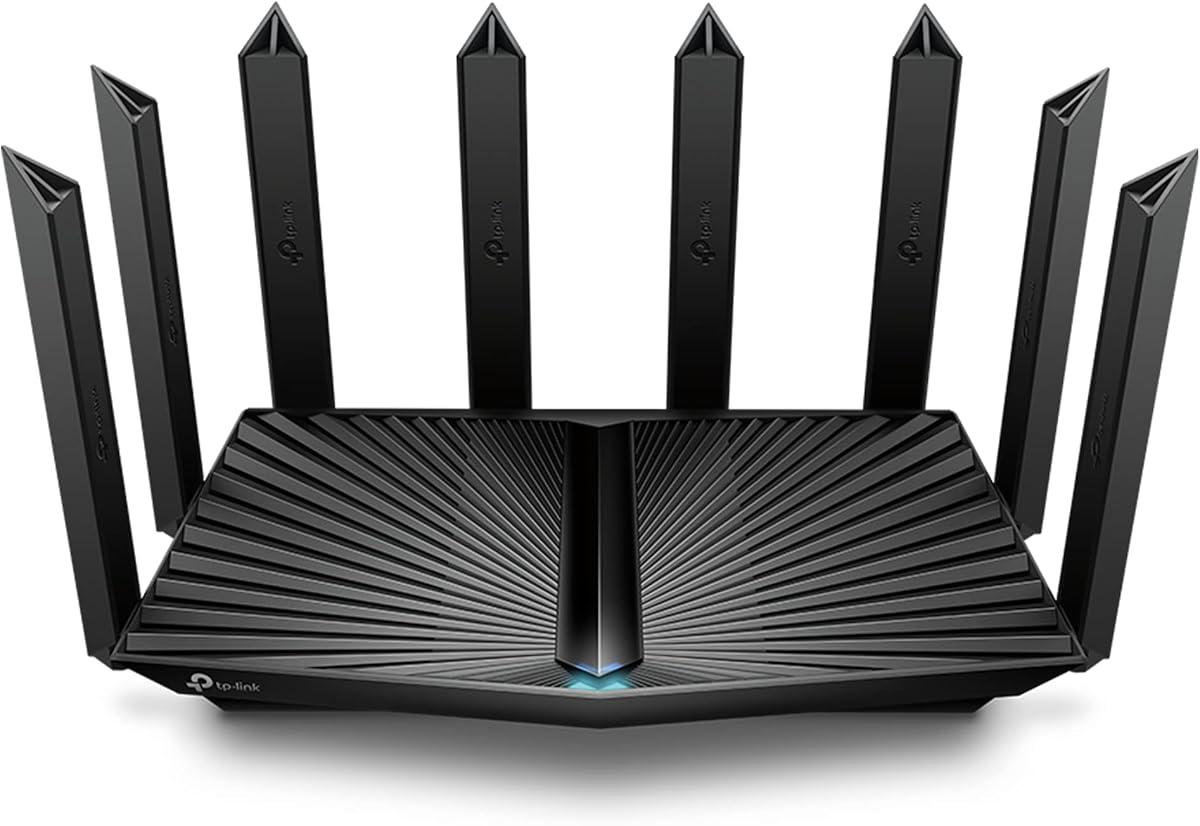




The TP-Link BE6500 stands out as a top choice for those seeking next generation connectivity with its WiFi 7 technology. It delivers up to 6500 Mbps total throughput with Multi-Link Operation to ensure devices connect smoothly without interference.
We may earn a commission when you buy through this link, at no additional cost to you.
Its six antennas and Beamforming tech concentrate signals toward connected devices which improves range and stability. The inclusion of 2.5G Ethernet ports makes it future ready for fast internet plans and wired backhaul needs.
While it handles most home setups well, some users may find the max device limit lower than premium mesh systems. The price reflects the cutting edge tech so budget conscious buyers might consider older models.
If you want future proofing and high speed wireless for gaming or streaming this router is an excellent investment. It balances raw power with smart features like HomeShield security and VPN support effectively.
WiFi 7 with Multi-Link Operation ensures optimal performance on modern devices.
HomeShield provides robust parental controls and real-time IoT protection.
We may earn a commission when you buy through this link, at no additional cost to you.
This router offers tri-band WiFi 6E speeds up to 5400 Mbps ensuring your devices share bandwidth efficiently. The dedicated 6 GHz band reduces congestion and provides near zero latency for responsive gaming or video calls.
We may earn a commission when you buy through this link, at no additional cost to you.
Its unique housing and dual-core CPU help maintain consistent performance under heavy loads. The EasyMesh capability lets you expand coverage by adding compatible extenders or routers seamlessly.
The lack of 2.5G ports means it won't fully utilize multi-gigabit internet plans if you have them. Also the 6 GHz range may be shorter than lower bands so placement matters.
Ideal for busy households needing more capacity and modern security features without breaking the bank. It delivers solid reliability and speed for most users upgrading from older WiFi standards.
OFDMA and tri-band design support simultaneous transmissions to many devices.
EasyMesh compatibility allows flexible network growth over time.
We may earn a commission when you buy through this link, at no additional cost to you.
Archer AX73 delivers up to 5400 Mbps with 4T4R and HE160 tech for ultra-fast connections. Its six antennas and Beamforming ensure reliable coverage across large single floor homes easily.
We may earn a commission when you buy through this link, at no additional cost to you.
The USB 3.0 port enables easy media sharing and private cloud storage which adds flexibility for local files. Vented design helps the router stay cool during long active sessions.
While performance is strong it lacks the newer multi-gigabit ports found on premium models. Users needing advanced security beyond basic features may find it limiting.
This router fits well for homes wanting solid WiFi 6 speeds without extra cost. It remains a reliable workhorse for streaming and gaming with easy setup and control.
High-Power FEM and beamforming adapt signal to your home layout.
USB 3.0 port supports storage and media sharing without extra hardware.
We may earn a commission when you buy through this link, at no additional cost to you.
Archer AX80 offers up to 6000 Mbps with eight antennas and Beamforming to push signals further. It bridges the gap between standard and advanced routers with a 2.5G port for fast wired links.
We may earn a commission when you buy through this link, at no additional cost to you.
Alexa voice control simplifies guest network toggling and other quick settings. OneMesh compatibility lets you extend coverage using other TP-Link devices easily.
While powerful it still relies on dual bands so congestion can occur in very dense environments. The limited Ethernet count may require switches for many wired devices.
This model suits users wanting speed and range without mesh complexity. It is a strong contender for gaming and streaming setups needing consistent performance.
Breakthrough 2.5G port prepares your network for faster internet.
Alexa compatibility adds convenience through voice commands.
We may earn a commission when you buy through this link, at no additional cost to you.
NETGEAR Nighthawk WiFi 7 RS90 brings reliable dual-band speeds up to 3600 Mbps ideal for busy homes. It connects to your existing modem and handles streaming calls gaming with low latency.
We may earn a commission when you buy through this link, at no additional cost to you.
The Nighthawk app provides intuitive controls for managing devices and network settings remotely. Built-in security and auto updates keep your network safe without extra effort.
Armor security requires a subscription after trial which may add ongoing cost. Coverage may need help in larger multi-story spaces without mesh addition.
For users wanting straightforward WiFi 7 performance from a trusted brand this router delivers. It balances usability and modern features well for typical household needs.
Free Nighthawk app lets you manage your network from anywhere.
Automatic updates and Advanced Router Protection protect your family.
We may earn a commission when you buy through this link, at no additional cost to you.
This tri-band Nighthawk router delivers up to 9300 Mbps ensuring plenty of bandwidth for multiple devices. The 6 GHz band gives fastest devices their own lane to prevent slowdowns.
We may earn a commission when you buy through this link, at no additional cost to you.
Two 2.5G LAN ports support NAS or gaming rigs needing fast wired speeds. The Nighthawk app makes network management easy and supports guest network setup.
For smaller homes this performance may exceed actual internet plan limits. The price point is high so budget users may prefer simpler models.
If you have many high-demand devices this router ensures seamless connectivity. It is a top choice for tech enthusiasts wanting maximum throughput and control.
Three bands reduce congestion and keep speeds consistent across devices.
Multi-Gig ports support fast wired connections for key devices.
We may earn a commission when you buy through this link, at no additional cost to you.
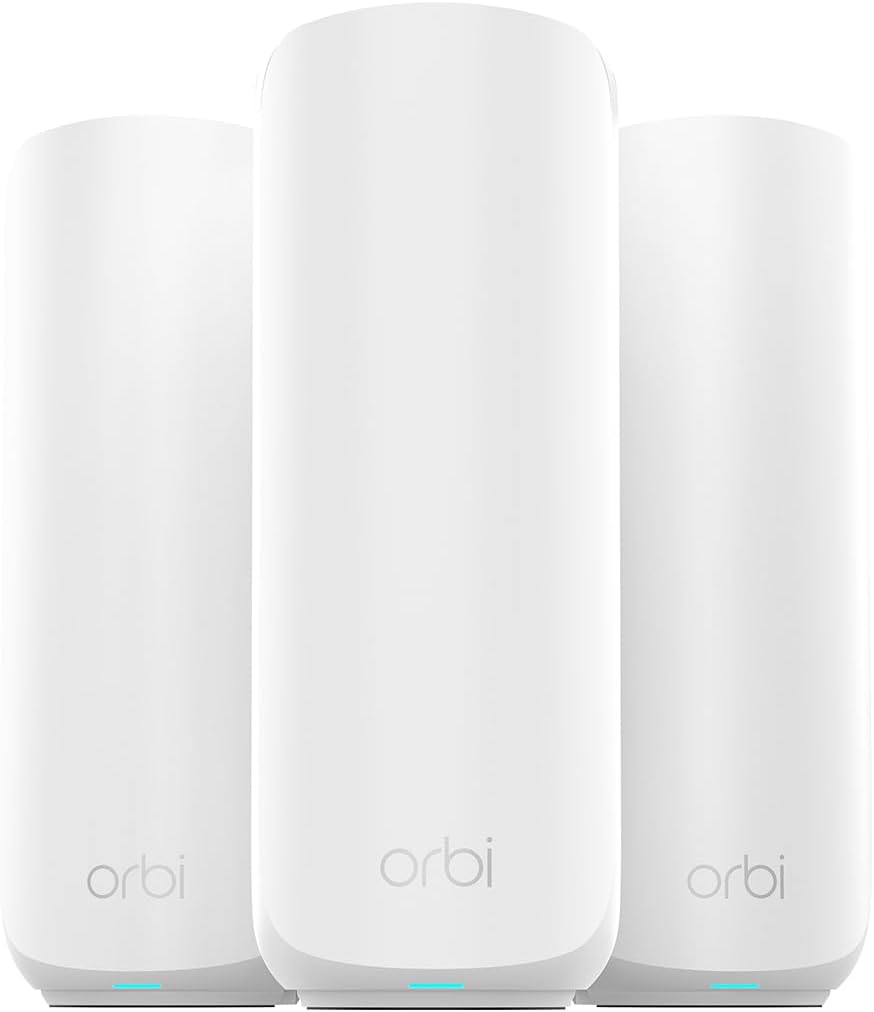
The Orbi 370 Series creates a seamless mesh covering up to 6000 sq ft with reliable high-speed WiFi. It supports many devices simultaneously ensuring smooth streaming and gaming throughout your home.
We may earn a commission when you buy through this link, at no additional cost to you.
Easy setup via Orbi app lets you manage devices guest WiFi and speed tests effortlessly. Enhanced backhaul keeps the network fast even as more devices connect.
Adding more satellites expands coverage but adds to cost. Wired backhaul is not supported which limits options for some network layouts.
Perfect for large homes or estates where dead zones are a concern. Its performance and range make it a premium solution for consistent connectivity.
Mesh design ensures strong signals reach every room without dead zones.
Orbi app simplifies setup and device management from your phone.
We may earn a commission when you buy through this link, at no additional cost to you.
Deco X55 offers whole home WiFi 6 coverage up to 6500 sq ft with seamless roaming. Three units work together to eliminate dead zones and support up to 150 devices reliably.
We may earn a commission when you buy through this link, at no additional cost to you.
Each unit has three Gigabit ports allowing flexible wired backhaul for improved speeds. AI-driven mesh learns your environment to optimize connections automatically.
It lacks multi-gigabit ports and advanced customization options found in higher end routers. Parental controls and security are solid but basic.
This mesh system is great for homeowners wanting simplicity and full coverage without high cost. Setup is fast and app management keeps control intuitive.
Intelligent optimization tailors WiFi to your home layout dynamically.
Gigabit ports support wired connections for improved performance.
We may earn a commission when you buy through this link, at no additional cost to you.
Archer BE550 delivers blazing fast tri-band WiFi 7 speeds up to 9300 Mbps for demanding tasks. It includes five 2.5G ports for maximum wired performance and device connection.
We may earn a commission when you buy through this link, at no additional cost to you.
Private IoT network helps secure smart devices separately from main traffic. HomeShield security and VPN features add flexibility and protection for users.
Setup can be complex due to many options and settings. Mesh expansion is possible via EasyMesh but not as seamless as dedicated systems.
Best for tech savvy users needing top speeds and wired flexibility. Its advanced features make it a powerful choice for power users and large setups.
Simultaneous data transfer across bands improves speed and reduces latency.
VPN support and IoT network isolate devices for better protection.
We may earn a commission when you buy through this link, at no additional cost to you.
Archer A6 provides reliable dual-band speeds up to 1200 Mbps ideal for standard internet plans. Four Gigabit LAN ports offer fast wired connections for PCs and smart TVs.
We may earn a commission when you buy through this link, at no additional cost to you.
Beamforming concentrates signal to reduce interference and boost range where needed. OneMesh compatibility lets you expand coverage later with extenders cheaply.
It lacks advanced features like high-end security or multi-gigabit ports. Coverage may struggle in very large or multi-story homes without help.
Perfect for budget conscious users needing dependable WiFi for typical use. It delivers strong value and performance for small to medium sized spaces.
Affordable price delivers solid dual-band speeds for daily use.
OneMesh support allows easy network growth as needs change.
We may earn a commission when you buy through this link, at no additional cost to you.
Choosing the right router requires considering your home size internet speed and connected devices. This guide breaks down essential factors to help you find a router that meets your needs.
Modern routers support WiFi 6 WiFi 6E or WiFi 7 standards which determine speed and device handling. WiFi 7 offers the fastest speeds and lowest latency but requires compatible devices.
Look for WiFi 6 or higher for future proofing and efficient data transmission in multi device environments.
Match router coverage to your home square footage to avoid dead zones. Single routers work well for smaller homes while mesh systems suit larger or multi-story properties.
Check maximum coverage ratings and consider adding extenders or mesh nodes if needed.
Higher total Mbps ratings mean faster data transfer for streaming and gaming. Ensure your internet plan matches router capabilities to avoid bottlenecks.
Select routers with multi-gigabit ports if you have high speed internet to maximize wired connections.
Modern homes connect dozens of devices including phones laptops and smart home gadgets. Routers should support enough concurrent connections without slowing down.
Choose models with MU-MIMO and OFDMA technology for better handling of multiple simultaneous connections.
Gigabit ports are standard but multi-gigabit ports offer faster wired speeds. Consider how many devices need wired connections like consoles or NAS drives.
Ensure sufficient port count or plan for switches if you have many wired devices.
Built-in firewall parental controls and IoT protection keep your network safe. Many routers offer subscription-based advanced security services.
Verify included security features and check if extra protection requires ongoing fees.
Intuitive mobile apps simplify initial setup and ongoing network control. Look for routers with guided setup and device management tools.
Choose brands with reliable apps and clear interfaces for hassle-free maintenance.
Prices vary widely based on features and technology. Balance your budget with your needs to avoid overspending or under-provisioning.
Consider long-term value including warranty and software support when comparing models.
Place your router centrally in your home away from obstructions and electronics to maximize signal range. Elevating it and keeping it near walls helps distribute WiFi evenly.
Regularly update firmware through the admin panel or app to patch security vulnerabilities and improve performance. Set automatic updates when available to stay protected.
Monitor connected devices and run speed tests periodically to detect issues early. Reboot your router occasionally to clear cache and refresh connections.
WiFi 7 offers faster speeds up to 46 Gbps and lower latency using Multi-Link Operation and 320 MHz channels. WiFi 6 is sufficient for most users but WiFi 7 prepares you for future devices and high-bandwidth needs.
Mesh systems are recommended for homes over 2500 sq ft to eliminate dead zones. Single routers may struggle with coverage so adding nodes ensures consistent performance throughout.
Yes these routers work with most cable fiber and DSL providers. You will need a modem compatible with your ISP to connect the router properly.
Most modern routers support 50 to 100 devices but performance depends on bandwidth and technology. Mesh systems and tri-band routers typically handle more devices efficiently.
Multi-gigabit ports allow faster wired connections for devices like gaming consoles or NAS. They are useful if your internet plan exceeds standard gigabit speeds.
Use compatible mesh nodes or extenders rather than random repeaters to maintain security. Ensure updated firmware and strong encryption to protect extended networks.
These ten routers offer options from budget friendly to high performance models for various home needs. Whether you prioritize speed coverage or smart features there is a solid choice available.
Consider your home size internet speed and device count when deciding on a router. Investing in the right model today can prevent upgrades tomorrow.
Prices and stock change so check current listings before buying to get the best deal. Use this guide to compare features and make an informed purchase decision.