
Logitech MX Ergo S
4.4Editor score
20 degree tilt for posture
USB C rechargeable battery
Eighty percent quieter clicks
This guide compares ten top ergonomic trackball mice for comfort and precision. We review features, ergonomics, and performance to help you find the best mouse
Finding the right ergonomic trackball mouse can transform your daily workflow by reducing strain on your wrists and forearms. These devices offer precise cursor control without the need for constant hand movement, making them ideal for extended computer sessions.
We evaluated ten leading models based on design, connectivity, battery life, and user feedback to compile this comprehensive list. Each option brings unique benefits, from advanced tilt angles to customizable buttons, ensuring there is a fit for every user preference and budget.
Every pick highlights key specifications and practical advantages to help you make an informed decision for your setup. Please note that product availability and pricing may vary over time, so checking current listings is recommended before purchasing your next device.
4.4Editor score
4.5Editor score

4.4Editor score
The following table provides a side-by-side overview of all ten models reviewed in this guide. Each entry highlights core specifications to help you quickly compare features like connectivity, design angles, and control options.




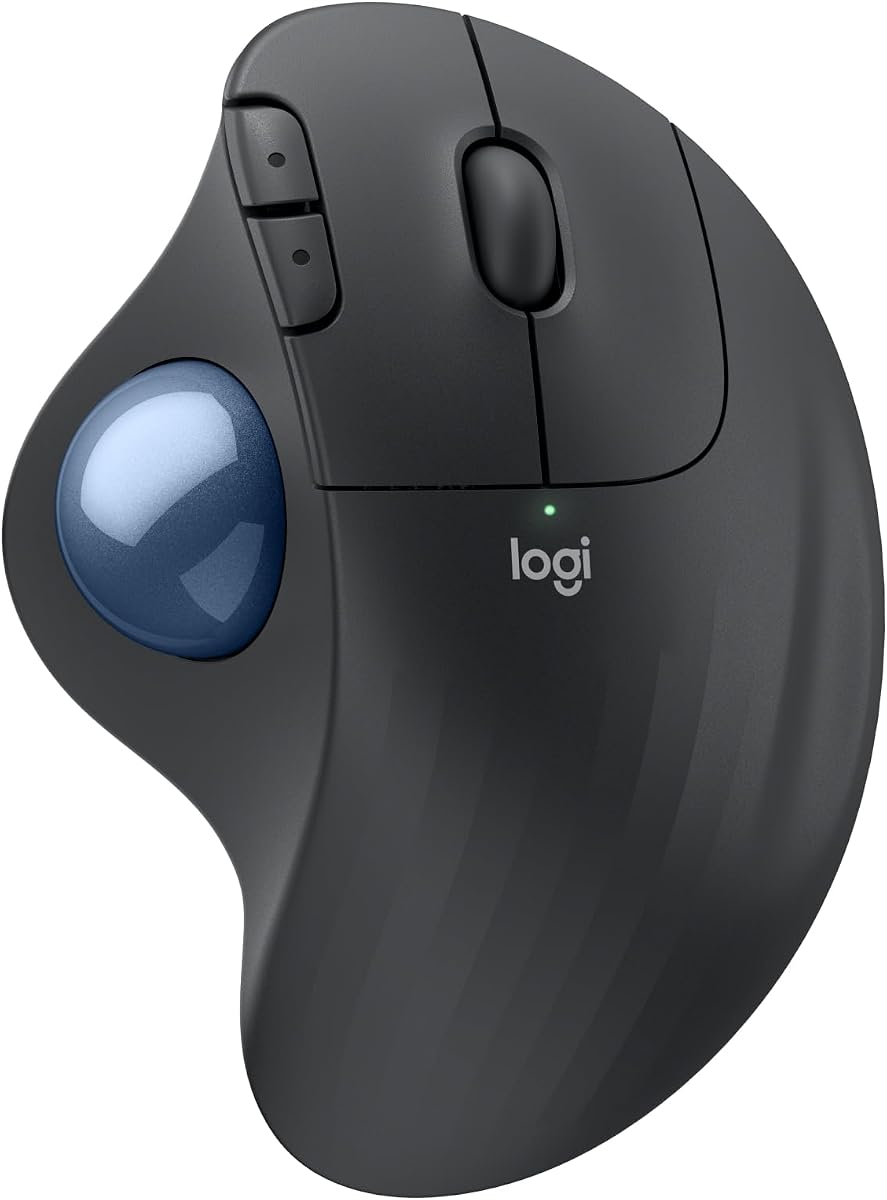
The Logitech Ergo M575S stands out as a top choice for users seeking comfort and precision without compromising on performance. With a rating of 4.5 stars, it delivers smooth tracking and a design certified by ergonomists for all-day use.
We may earn a commission when you buy through this link, at no additional cost to you.
Its sculpted shape supports natural forearm posture, reducing muscle strain by 25 percent compared to traditional mice. The thumb-controlled trackball allows you to move the cursor without shifting your hand, which is especially helpful in tight workspaces.
While the learning curve might feel steep at first, most users adapt quickly to the thumb operation. The quiet clicks are a subtle but welcome feature that prevents distractions in shared environments or during late-night work sessions.
This mouse is ideal for professionals who spend hours at their desk and prioritize ergonomics. Whether you connect via Bluetooth or the Logi Bolt USB receiver, the seamless setup and long battery life make it a reliable daily driver.
The curved shell and optimized angle help keep your wrist in a neutral position, reducing the risk of repetitive strain injuries over time.
Customizable buttons and Logi Options+ integration allow you to set up shortcuts that speed up your workflow and enhance overall efficiency.
We may earn a commission when you buy through this link, at no additional cost to you.
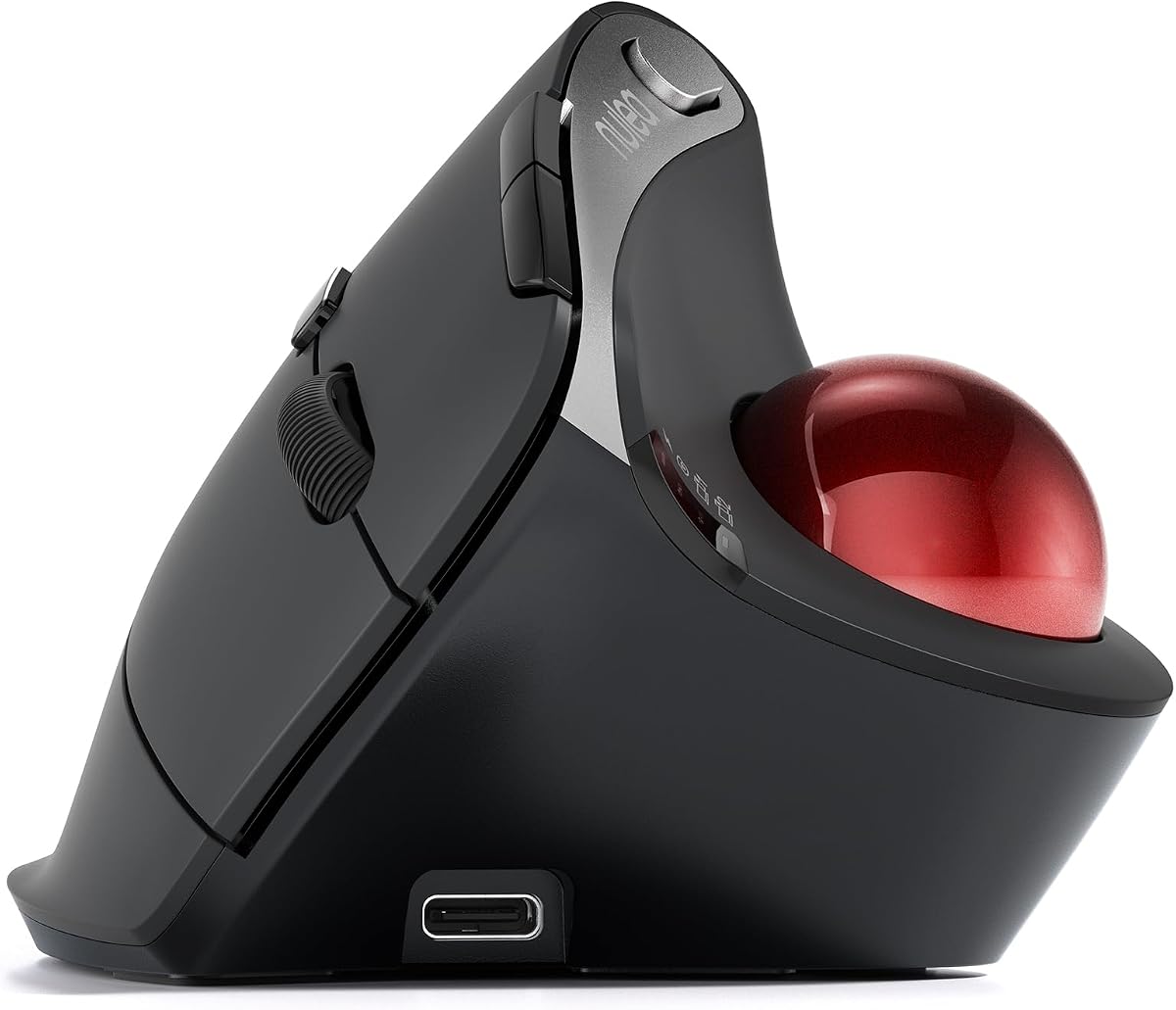
The Nulea M501 offers an accessible entry into ergonomic trackball usage without requiring a significant investment. Its 4.4 star rating reflects solid performance and user satisfaction for basic to moderate computing tasks.
We may earn a commission when you buy through this link, at no additional cost to you.
With four adjustable DPI levels, you can fine-tune cursor speed to match your needs whether browsing the web or editing documents. The smooth thumb control minimizes wrist movement, which helps reduce fatigue during extended work periods.
The rechargeable battery eliminates the need for disposable cells, adding to its cost-effective appeal. However, note that the buttons are not programmable, which may limit customization for power users who rely on shortcuts.
This model is perfect for students or home users who want ergonomic benefits on a budget. Its dual connectivity via Bluetooth or USB dongle ensures compatibility with a wide range of laptops and desktop systems.
Switching between devices is seamless thanks to the dedicated button on the bottom, allowing quick transitions between work and personal computers.
The built-in rechargeable battery reduces waste from disposable cells and provides long runtime on a single full charge.
We may earn a commission when you buy through this link, at no additional cost to you.
This black variant of the Logitech Ergo M575S maintains the high standards of comfort and precision found in the original model. With a strong 4.6 star rating, it is praised for supporting natural forearm alignment during long work hours.
We may earn a commission when you buy through this link, at no additional cost to you.
The thumb-operated trackball enables precise cursor movement without needing to shift your arm, which is crucial for reducing strain. Its sculpted design fits most hand sizes comfortably, promoting a relaxed palm position throughout the day.
Battery life extends up to 18 months on a single AA cell, ensuring minimal interruption to your workflow. While it lacks advanced programmable features, the core ergonomic benefits make it a dependable choice for daily office tasks.
Ideal for users who prioritize posture and simplicity, this mouse blends seamlessly into professional setups. Whether for home or office use, its consistent performance and ergonomic focus provide lasting value and comfort.
The shape encourages a neutral wrist position, helping prevent discomfort associated with prolonged traditional mouse usage.
Plug-and-play setup means you can start using it immediately without installing extra software or drivers.
We may earn a commission when you buy through this link, at no additional cost to you.
The Logitech MX Ergo S represents the pinnacle of ergonomic trackball innovation with its advanced tilt angle and USB-C charging. Its 4.4 star rating highlights the balance between premium features and user comfort for demanding workflows.
We may earn a commission when you buy through this link, at no additional cost to you.
A 20-degree tilt angle helps align your forearm naturally, reducing muscle strain by up to 27 percent. The 80 percent quieter clicks enhance focus in shared spaces while maintaining the tactile feedback needed for precise selection tasks.
With fast USB-C charging, a single minute provides 24 hours of use, and a full charge lasts up to 120 days. The six customizable buttons integrate with Logi Options+ to streamline repetitive tasks and boost productivity efficiently.
This mouse is tailored for professionals who need top-tier ergonomics and efficiency. Whether for design work or long document editing sessions, its contoured grip and smooth tracking deliver a refined, comfortable experience.
The tilt angle and soft rubber grip ensure your hand stays supported and relaxed even during intense multi-hour work sessions.
The quick charging capability means you rarely need to worry about running out of power during critical work times.
We may earn a commission when you buy through this link, at no additional cost to you.
Designed with medium to large hands in mind, the TECKNET Wireless Trackball offers a generous footprint and smooth control. With a 4.5 star rating, it stands out for its comfortable vertical angle and robust performance in diverse environments.
We may earn a commission when you buy through this link, at no additional cost to you.
The 16-degree vertical angle reduces muscle strain by promoting a natural wrist posture. Combined with five DPI sensitivity levels, it allows you to adjust precision on the fly for tasks ranging from browsing to detailed navigation.
A 500mAh rechargeable battery powers up to a full day after just 15 minutes of charging. This rapid charge feature ensures you spend less time tethered to a power source and more time being productive.
This mouse is ideal for users with larger hands who struggle with compact trackballs. Its silent operation and reliable connectivity make it a strong contender for office or home use where comfort and convenience are priorities.
The dimensions and contouring provide a secure grip that prevents cramping during long usage periods typical of heavy users.
Support for Bluetooth and 2.4G wireless ensures stable performance across different device types without frequent dropouts.
We may earn a commission when you buy through this link, at no additional cost to you.
The Nulea M506 earns a 4.7 star rating for its distinct vertical design that promotes natural wrist alignment. With a 54-degree angle, it offers a more relaxed hand position that suits users seeking maximum ergonomic relief.
We may earn a commission when you buy through this link, at no additional cost to you.
All essential functions are placed within easy fingertip reach, ensuring seamless navigation without breaking your workflow. The detachable trackball allows for quick cleaning to maintain smooth rolling performance over time.
Battery life extends up to 21 days on a single charge, reducing the frequency of recharging interruptions. The dual Bluetooth plus USB setup supports three devices, making it versatile for multi-device workstations.
This model is perfect for users who prefer a pronounced vertical orientation to reduce wrist pressure. Its textured grip and intuitive layout provide steady control for daily tasks ranging from office work to creative projects.
The high tilt keeps the forearm and wrist in a handshake-like position, significantly reducing strain over long work periods.
Removing the trackball requires no tools, letting you clear dust and dirt quickly to keep performance consistent.
We may earn a commission when you buy through this link, at no additional cost to you.
Known for its silent operation, the Nulea Wireless Ergonomic Vertical Trackball delivers a distraction-free experience. Its 4.3 star rating reflects solid performance for quiet environments, from home offices to late-night work sessions.
We may earn a commission when you buy through this link, at no additional cost to you.
The 65-degree ergonomic angle ensures your wrist and arm stay naturally relaxed. An advanced infinite scroll wheel auto-switches between precise and fast modes based on speed, allowing effortless navigation through long documents or web pages.
All buttons and the trackball operate without audible clicks, preserving focus in shared or quiet spaces. It connects via Bluetooth or USB receiver to up to three devices, supporting smooth transitions between computers or tablets.
This mouse suits users who prioritize silence and vertical ergonomics. Whether for reading, browsing, or light editing, its wave-textured surface and gentle scroll mechanics offer a refined and comfortable interaction style.
From thumb control to scrolling, every interaction remains noise-free, making it ideal for libraries or open offices.
The scroll wheel intelligently adjusts speed to match your motion, saving time when reviewing long content.
We may earn a commission when you buy through this link, at no additional cost to you.
The Nulea Tilt Trackball combines a 21.7-degree tilt stand with silent controls to support natural wrist positioning. With a 4.4 star rating, it balances comfort and performance for users seeking ergonomic relief without high-end costs.
We may earn a commission when you buy through this link, at no additional cost to you.
The elevated tilt aligns your palm and forearm to reduce strain. Four adjustable DPI levels allow precise cursor control suitable for drawing, editing, or navigating multi-screen setups with confidence and accuracy.
True silent control ensures every click remains noise-free, perfect for shared workspaces. It supports multi-device pairing via Bluetooth or USB, enabling quick transitions between laptops, tablets, and phones with a single button tap.
This mouse is well-suited for office workers who need a balance of tilt support and quiet use. Its elegant design and straightforward features deliver reliable performance without complexity or unnecessary complications.
The built-in stand raises the rear slightly, keeping your hand in a neutral angle that minimizes wrist stress.
All buttons and scroll operations remain silent, ensuring you can focus without creating noise around you.
We may earn a commission when you buy through this link, at no additional cost to you.
Designed for scalable deployment, the Logitech Ergo M575 for Business combines comfort with enterprise management tools. With a 4.4 star rating, it remains a top pick for companies prioritizing employee wellness and workflow efficiency.
We may earn a commission when you buy through this link, at no additional cost to you.
Certified by US Ergonomics, its shape reduces muscle activity by 25 percent. Logitech Sync allows remote monitoring and deployment, making it easy to manage fleets across multiple work locations with minimal IT overhead.
It runs up to 18 months on a single AA battery, ensuring minimal downtime. The thumb control offers precise tracking on any surface, ideal for tight workspaces where space is at a premium.
Ideal for corporate environments, this mouse supports health and efficiency goals. For individual users, the ergonomic benefits remain strong, even if remote management features are less relevant to personal setups.
Logitech Sync enables centralized device monitoring and configuration, simplifying IT operations across large teams.
Made with 52 percent post-consumer recycled plastic, it supports environmental goals while delivering reliable performance.
We may earn a commission when you buy through this link, at no additional cost to you.
The Logitech MX Ergo S Pro combines advanced ergonomics with security-focused connectivity. Its 4.5 star rating reflects strong approval from users needing precise control and reliable encryption for sensitive workflows.
We may earn a commission when you buy through this link, at no additional cost to you.
A 20-degree tilt angle reduces muscle strain while maintaining stability. Six programmable buttons integrate with Logi Options+ to automate repetitive tasks, while the encrypted dongle adds a layer of data protection for professional use.
USB-C charging delivers up to 24 hours of use from just one minute of charge. The battery can last up to 120 days on a full charge, ensuring minimal downtime even during busy project cycles.
This mouse is ideal for professionals who demand precision, comfort, and security. Whether for CAD work, data analysis, or secure remote access, its advanced features provide a polished and efficient input experience.
The encrypted USB dongle ensures secure communication between the mouse and host computer, ideal for sensitive environments.
Programmable buttons let you map macros or shortcuts that streamline complex workflows and save valuable time.
We may earn a commission when you buy through this link, at no additional cost to you.
Selecting the right ergonomic trackball mouse involves considering design, features, and usage needs. This guide outlines key factors to help you find a model that supports comfort and efficiency.
Look for a mouse with a tilt or vertical angle that keeps your wrist and forearm in a neutral position. Models with 15 to 55-degree angles reduce strain by aligning your hand naturally rather than forcing it flat.
A well-contoured shell ensures your palm rests comfortably, preventing hot spots during long sessions.
Thumb-controlled trackballs are common and ideal for most users, requiring minimal hand movement. Some designs allow fingertip control for finer precision or specialized tasks.
Ensure the ball is smooth and responsive, and check if it is detachable for easier cleaning and maintenance.
Bluetooth offers wireless flexibility without dongles, while USB receivers provide stable connections. Dual or triple device support lets you switch between computers seamlessly.
If you work across multiple devices, verify compatibility with your operating system and the number of supported connections.
Rechargeable models reduce waste and cost over time, while AA battery versions often last longer between replacements. Check runtime estimates and charging methods.
Fast charging capabilities can be valuable if you need quick top-ups during the day without losing productivity.
Programmable buttons enhance efficiency by allowing shortcuts or macros. Fixed buttons limit flexibility but simplify use for basic tasks.
Evaluate whether you need app integration to remap buttons or if standard functions suffice for your workflow.
Materials like recycled plastic can reduce environmental impact without sacrificing strength. Soft rubber grips improve comfort and stability during use.
A durable mouse will maintain performance over years, making it a worthwhile investment for daily computing needs.
Silent click technology minimizes noise, which is essential for shared spaces or focus-driven environments. Check reviews to confirm noise levels during typical use.
This feature is especially valuable if you work late or in quiet rooms where every sound matters.
Trackball mice come in various sizes; some are optimized for larger hands while others fit smaller ones better. Ensure the dimensions match your palm to avoid cramping.
If possible, try measuring your hand or checking user feedback regarding fit before purchasing to guarantee comfort.
Start by connecting the mouse via Bluetooth or USB and allow the system to recognize it automatically. Open any accompanying software to customize buttons and settings according to your workflow.
Clean the trackball regularly by ejecting it from the housing and wiping both the ball and socket to ensure smooth movement. Use a soft cloth and avoid harsh chemicals that might damage the surface.
Recharge or replace the battery as needed to maintain performance. Store the mouse in a dry place when not in use to prevent moisture damage or dust buildup inside the mechanism.
Trackball mice can help reduce wrist strain by keeping your hand in a more neutral position. Many users find they experience less pain and fatigue compared to traditional mice, though individual results may vary.
Most models include a dedicated button to toggle between paired devices. You can connect multiple devices via Bluetooth or USB, then press the button to switch seamlessly between them.
Yes, trackball mice do not require a surface to move since the cursor is controlled by the ball. This makes them ideal for small desks or uneven workspaces where traditional mice struggle.
Battery life varies by model, ranging from weeks to months on a single charge or AA cell. Many premium options offer fast charging to minimize downtime during use.
There is typically a short learning curve as you adjust to thumb control. Most users adapt within a week, and the ergonomic benefits often outweigh the initial adjustment period.
Most ergonomic trackball mice are designed for right-handed users. However, some models offer ambidextrous designs or can be reconfigured for left-handed use with minor adjustments.
Use the eject button to remove the ball, then wipe both the ball and the inner cage with a dry or slightly damp cloth. This prevents dust buildup that can affect tracking accuracy.
Most ergonomic trackball mice are compatible with Windows, macOS, and Linux. Some models offer specific drivers or apps that enhance functionality on certain platforms.
We have explored ten top ergonomic trackball mice that offer unique benefits for comfort, precision, and productivity. Each model brings specific advantages whether you need silent operation, vertical support, or enterprise-level features.
When making your choice, prioritize ergonomics that match your hand size and workflow demands. Investing in a quality mouse can prevent strain and improve efficiency during long computer sessions.
Remember to check current product availability and compatibility before purchasing. With the right ergonomic trackball mouse, you can enjoy a healthier and more comfortable computing experience every day.