
Lightning to HDMI Adapter for iPhone to TV
4.4Editor score
Affordable Price Point
Charging Port Included
Compact Pocket Size
This comprehensive guide compares the top HDMI Lightning Adapter for iPhone options available in October 2026, helping you choose the perfect model for your
Finding the right HDMI Lightning Adapter for iPhone can transform your viewing experience by allowing you to mirror your screen to a larger display. Whether you are presenting at work or enjoying movies at home, a reliable adapter ensures smooth connectivity and high-quality video output without frustrating interruptions.
We have carefully evaluated ten of the most popular and highly rated adapters on the market to bring you this detailed comparison. Our analysis focuses on compatibility, build quality, ease of use, and support for various apps to help you make an informed decision for your specific device and usage scenario.
Each product on this list offers unique features and benefits tailored to different user preferences and budgets. While prices may fluctuate over time, the performance characteristics and compatibility details remain consistent factors to consider before making your final purchase decision for your Apple ecosystem setup.
4.4Editor score

4.1Editor score

4.2Editor score
The following table provides a side-by-side comparison of the top ten HDMI Lightning Adapter for iPhone options to help you quickly identify the model that best fits your technical requirements and budget constraints.





This Lightning to HDMI adapter for iPhone stands out as a reliable choice for users seeking high-quality screen mirroring without breaking the bank. With a solid 4.2-star rating and Apple MFi certification, it ensures stable connections and compatibility across a wide range of iOS devices. The adapter supports 1080p HD output, making it ideal for presentations, movies, and games on larger screens.
We may earn a commission when you buy through this link, at no additional cost to you.
The device features a compact design that fits easily into bags or pockets, ensuring portability for travel or business use. It connects directly to your iPhone or iPad without requiring additional drivers or complex setup procedures. Users can enjoy seamless mirroring of apps like YouTube, ABC, and NBC, along with local media files saved on their devices. The included lightning charging port allows you to keep your device powered during extended use.
While the adapter offers many benefits, it is important to note that it does not support apps with HDCP copyright protection such as Netflix or Amazon Prime. This is a common limitation across most Lightning adapters due to Apple policies. Additionally, users will need to purchase an HDMI cable separately to complete the connection to their TV or projector.
This adapter is perfect for students, professionals, and casual users who need a reliable way to display their iPhone screen on a larger monitor. The balance of price, performance, and features makes it a strong contender for those looking to enhance their media consumption or presentation capabilities. Overall, it delivers consistent results for everyday screen mirroring needs.
For those prioritizing cost-effectiveness without sacrificing essential functionality, this model provides excellent value. The MFi certification ensures safety and compatibility, reducing the risk of connection issues. Whether for classroom presentations or home entertainment, this adapter offers a straightforward solution for connecting your iOS device to external displays.
The adapter supports resolutions up to 1080p HD, ensuring that images and videos appear sharp and clear on compatible TVs or monitors. This makes it suitable for watching movies, displaying photo slideshows, or presenting detailed slides.
The included lightning charging port allows you to power your iPhone or iPad while using the adapter. This feature is particularly useful during long presentations or movie sessions where battery drain could be an issue.
We may earn a commission when you buy through this link, at no additional cost to you.
The Apple MFi Certified Lightning to HDMI Digital AV Adapter is designed for users who prioritize simplicity and reliability. With a 4.1-star rating, this adapter offers a hassle-free experience for mirroring your iPhone or iPad screen to external displays. The plug and play functionality means no complex setup or additional software is required to get started.
We may earn a commission when you buy through this link, at no additional cost to you.
This adapter supports mirroring of various apps including YouTube, ABC, NBC, and local videos, making it versatile for both entertainment and productivity. The included charging port ensures your device remains powered during use, which is essential for long meetings or movie nights. The compact design allows for easy transport in bags or pockets.
One limitation is the lack of support for HDCP-protected apps like Netflix and HBO GO. This is due to Apple policies rather than a flaw in the adapter. Additionally, the resolution is capped at 1080p, which is sufficient for most users but may not satisfy those seeking 4K output.
This adapter is ideal for business professionals, educators, and home users who need a dependable solution for screen mirroring. The MFi certification ensures compatibility and safety, reducing the risk of connection issues. It strikes a good balance between functionality and ease of use.
For those looking for a straightforward way to connect their Lightning devices to TVs or projectors, this adapter is a strong choice. The combination of reliable performance, charging support, and affordable pricing makes it a top contender in its category. It delivers consistent results for everyday needs.
No drivers or apps are needed to use this adapter. Simply connect it to your device and TV, and you are ready to go. This simplicity saves time and reduces technical frustration.
The built-in charging port allows you to keep your iPhone or iPad charged while mirroring content. This ensures uninterrupted use during extended presentations or movie sessions.
We may earn a commission when you buy through this link, at no additional cost to you.
The KikoSaka Lightning to HDMI Cable offers seamless compatibility across a wide range of Apple devices, from older iPhones to the latest iPad models. With a 4.3-star rating and Apple MFi certification, it ensures a stable connection and high-quality video output. Users appreciate the ease of use and reliable performance for everyday mirroring needs.
We may earn a commission when you buy through this link, at no additional cost to you.
This adapter supports all iOS versions, making it a future-proof choice for those who upgrade their devices regularly. It works with various apps for streaming and presentations, providing a smooth experience for both work and entertainment. The compact design ensures portability, allowing you to take it anywhere.
While it offers excellent compatibility, it does not support HDCP-protected apps like Netflix. Additionally, the video resolution is limited to 1080p, which may not meet the needs of users seeking higher fidelity. However, for standard HD content, it performs exceptionally well.
This cable is perfect for users who need a reliable solution for connecting older and newer Apple devices to external displays. The MFi certification guarantees safety and compatibility, reducing the risk of issues. It is a solid choice for families with multiple iOS devices.
For those prioritizing compatibility and ease of use, this adapter delivers strong performance. The seamless integration with various iOS versions ensures it remains useful as you upgrade your devices. It is a practical choice for both home and professional settings.
This adapter works with a wide range of iPhones, iPads, and iPods, ensuring that you can use it with most of your Apple devices. The compatibility extends to all iOS versions, making it a versatile option.
Apple MFi certification ensures that the adapter meets Apple's strict standards for quality and compatibility. This provides peace of mind regarding safety and performance when connecting your devices.
We may earn a commission when you buy through this link, at no additional cost to you.
The Apple MFi Certified Lightning to HDMI Cable Adapter stands out with its 6.6ft cable length, providing flexibility for placing your device away from the display. With a 4.3-star rating and MFi certification, it ensures stable connectivity and high-quality video mirroring. Users appreciate the delay-free performance and clear visuals.
We may earn a commission when you buy through this link, at no additional cost to you.
This adapter supports a wide range of apps and content types, making it suitable for both entertainment and presentations. The MFi certified chip ensures stable video output, reducing the risk of connection drops or glitches. It works seamlessly with various iOS devices, offering a smooth user experience.
While it offers many benefits, it does not support HDCP-protected apps such as Netflix. Additionally, it lacks a built-in charging port, which may require separate power solutions for extended use. However, the long cable length is a significant advantage for setup flexibility.
This adapter is ideal for users who need flexibility in device placement or want to avoid tethering their iPhone too close to the TV. The MFi certification guarantees compatibility and safety. It is a strong choice for home theater setups and business presentations.
For those prioritizing cable length and performance, this adapter delivers reliable results. The delay-free output ensures a smooth viewing experience for videos and games. It is a practical solution for users who value convenience and flexibility.
The 6.6ft cable length allows you to connect your iPhone to a TV or projector from a comfortable distance. This is especially useful in larger rooms or when using a projector.
The MFi certified chip ensures stable video output with minimal lag. This results in a smooth experience for watching videos, playing games, or giving presentations.
We may earn a commission when you buy through this link, at no additional cost to you.
The Apple Lightning to Digital AV Adapter is the official option from Apple, ensuring maximum compatibility and reliability. With a 4.2-star rating, this adapter delivers consistent performance for mirroring your iPhone or iPad screen to external displays. It supports up to 1080p HD, providing clear and vibrant visuals.
We may earn a commission when you buy through this link, at no additional cost to you.
This adapter is built to Apple's high standards, offering a durable and reliable experience. It supports both video and audio output, making it ideal for watching movies or giving presentations. The plug and play design ensures easy setup without additional drivers or software.
While it is a premium product, it comes at a higher price point compared to third-party options. Additionally, it lacks extra ports like charging or USB, which limits its versatility. However, the quality and reliability often justify the cost for many users.
This adapter is perfect for users who prioritize official Apple quality and seamless integration. The compatibility is guaranteed, reducing the risk of connection issues. It is a top choice for those who value reliability above all.
For those seeking the most dependable solution for screen mirroring, this official adapter is worth the investment. The consistent performance and quality build make it a standout option. It ensures that your presentations and movies are displayed exactly as intended.
As an official Apple product, this adapter is designed to work flawlessly with all Lightning devices. This guarantees compatibility and reduces the risk of technical issues or connection failures.
The adapter is built to withstand daily use with a sturdy construction. This ensures longevity and reliability, making it a worthwhile investment for frequent users.
We may earn a commission when you buy through this link, at no additional cost to you.
This Lightning to HDMI Adapter for iPhone to TV offers excellent value for budget-conscious buyers. With a 4.4-star rating and an affordable price point, it provides reliable 1080p HD mirroring for most apps. The included charging port allows you to keep your device powered during use.
We may earn a commission when you buy through this link, at no additional cost to you.
The adapter supports iOS 17, ensuring compatibility with the latest devices. It works with popular streaming apps and local media, making it versatile for home entertainment. The 5-year warranty provides additional peace of mind for buyers concerned about durability.
While it offers many features, it does not support HDCP-protected apps like Netflix. Additionally, the resolution is limited to 1080p, which may not satisfy those seeking 4K. However, for most users, this is not a significant issue.
This adapter is perfect for students and casual users who need a cost-effective solution for screen mirroring. The compatibility with newer iOS versions ensures it remains useful over time. It is a great choice for basic entertainment and presentation needs.
For those looking for affordability without sacrificing essential features, this adapter delivers strong performance. The long warranty and high rating indicate reliable quality. It is a practical option for everyday use.
This adapter supports iOS 17, ensuring it works seamlessly with the latest iPhone and iPad models. This future-proofs your investment as you upgrade your devices.
The 5-year warranty provides extensive coverage against defects or issues. This ensures that you have support for a long time, adding value to your purchase.
We may earn a commission when you buy through this link, at no additional cost to you.
The lulaven Lightning to HDMI Adapter Cable is highly trusted by thousands of users, as indicated by its 4.3-star rating and verified reviews. It offers zero lag mirroring, making it ideal for business presentations and live lessons. The adapter supports a wide range of apps for seamless content display.
We may earn a commission when you buy through this link, at no additional cost to you.
This adapter is designed for versatility, working with both older and newer iOS devices. It is perfect for hotel use, conference rooms, or classrooms where easy setup is essential. The plug and play functionality means no additional configuration is needed.
While it supports most apps, it does not work with HDCP-protected services like Netflix. Additionally, the resolution is capped at 1080p. However, these limitations are standard for Lightning adapters and do not detract from its core functionality.
This adapter is perfect for professionals who need reliable performance for presentations and meetings. The zero lag ensures smooth delivery of content. It is a top choice for business and education settings.
For those prioritizing reliability and ease of use, this adapter offers consistent performance. The high rating and verified reviews indicate user satisfaction. It is a dependable solution for displaying content on external screens.
The adapter delivers zero lag video mirroring, ensuring smooth presentations and gaming experiences. This is crucial for professional settings where timing and precision matter.
Designed with business users in mind, this adapter supports PowerPoint and Excel mirroring. It is ideal for meetings and educational settings where clear displays are essential.
We may earn a commission when you buy through this link, at no additional cost to you.
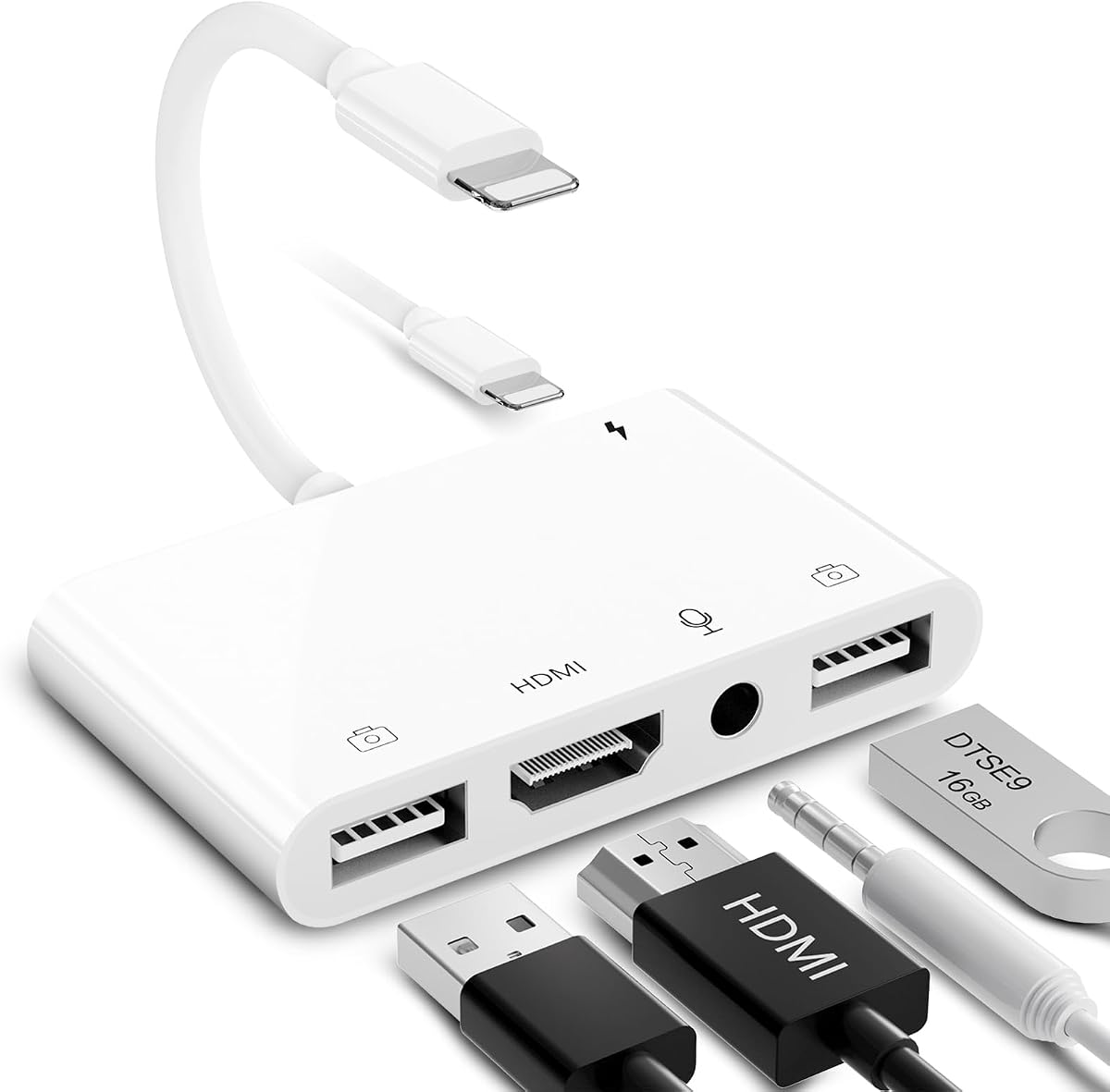
The Lightning to HDMI Adapter Dual USB OTG stands out with its 5-in-1 design, offering dual USB ports and a microphone jack. With a 4.3-star rating, it provides extensive connectivity for various peripherals. It is ideal for users who need to connect keyboards, mice, or storage devices.
We may earn a commission when you buy through this link, at no additional cost to you.
This adapter supports live streaming with a dedicated microphone jack, making it suitable for content creators. The USB ports allow for high-speed data transfer, enabling quick file access. It is a versatile tool for both work and entertainment.
While it offers many features, it comes at a higher cost and may require more complex setup. Additionally, it does not support HDCP apps. However, the extra ports justify the price for those needing additional functionality.
This adapter is perfect for power users who need more than just video output. The USB support allows for keyboard typing and document editing on the go. It is a comprehensive solution for extended use.
For those prioritizing versatility and connectivity, this adapter delivers robust performance. The multiple ports expand the capabilities of your iPhone. It is a great choice for those who need to connect various devices.
The dual USB ports allow you to connect keyboards, mice, and flash drives. This enables document editing and file transfer directly from your iPhone.
The 3.5mm microphone jack supports live streaming and recording. This is useful for content creators who need to connect external microphones.
We may earn a commission when you buy through this link, at no additional cost to you.
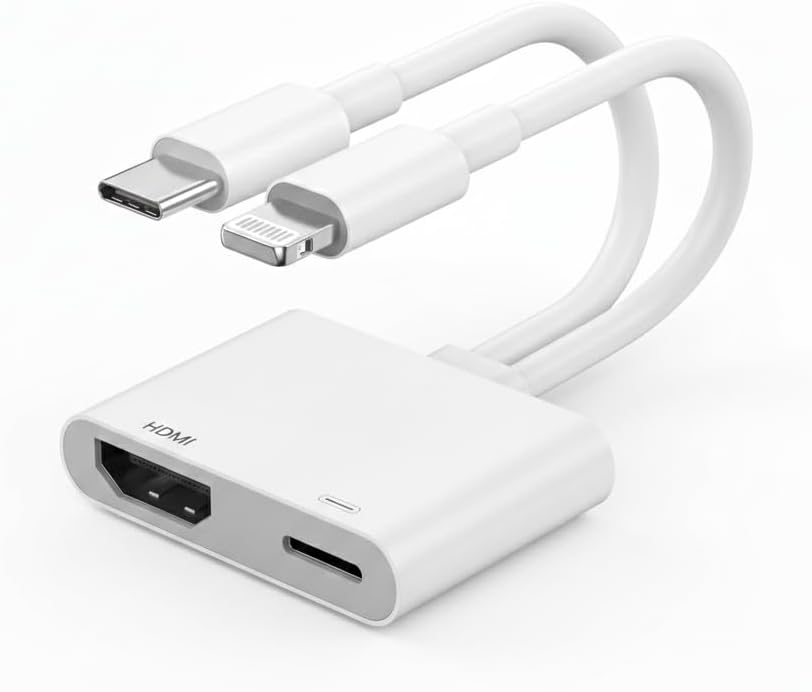
The USB-C and Lightning to HDMI Adapter offers seamless compatibility with both USB-C and Lightning devices. With a 4.6-star rating, it supports up to 4K 60Hz output, providing exceptional video quality. The 100W charging port ensures your device stays powered.
We may earn a commission when you buy through this link, at no additional cost to you.
This adapter is perfect for users transitioning to USB-C devices while still owning Lightning gadgets. It supports a wide range of apps and content, including HDCP-protected content for USB-C connections. The versatile design makes it a future-proof investment.
While it is priced higher, the versatility and performance justify the cost. However, older Lightning-only devices are limited to 1080p. For those with newer devices, the 4K support is a significant advantage.
This adapter is ideal for households with mixed Apple and Android devices. The 4K output and high charging speed support modern usage. It is a top choice for tech-savvy users.
For those prioritizing versatility and cutting-edge features, this adapter delivers outstanding performance. The 2-in-1 design ensures compatibility across devices. It is a comprehensive solution for diverse setups.
For USB-C devices, the adapter supports 4K 60Hz output, delivering stunning video clarity. This is ideal for modern TVs and high-resolution monitors.
The 100W power delivery pass-through charging ensures fast charging while streaming. This keeps your device powered during long sessions.
We may earn a commission when you buy through this link, at no additional cost to you.
The Apple Lightning to Digital AV Adapter is a staple for iPhone users, offering official Apple quality and a 4.6-star rating. It supports 1080p HD output for crystal-clear mirroring of apps and media. The simple design ensures ease of use for everyone.
We may earn a commission when you buy through this link, at no additional cost to you.
This adapter is built for reliability, with a sturdy construction and proven performance. It supports both video and audio output, making it versatile for movies and presentations. The plug and play setup means no additional steps are required.
While it lacks extra features like charging ports, its focus on core functionality delivers consistent results. It does not support HDCP apps, which is standard for Lightning adapters. For basic needs, it remains a top choice.
This adapter is perfect for users who value simplicity and reliability. The official Apple quality ensures compatibility with all Lightning devices. It is a safe bet for everyday mirroring tasks.
For those prioritizing dependability, this adapter delivers consistent performance. The high rating indicates user satisfaction. It is a practical solution for connecting your iPhone to external displays.
As an official Apple product, this adapter guarantees compatibility and safety. This ensures that your devices remain protected while using the adapter for mirroring.
The adapter supports 1080p HD output, ensuring sharp and vibrant visuals. This is ideal for movies, presentations, and other media types.
We may earn a commission when you buy through this link, at no additional cost to you.
Choosing the right HDMI Lightning Adapter for iPhone requires careful consideration of several factors to ensure compatibility and performance.
MFi certification ensures that the adapter meets Apple's quality standards for safety and compatibility. This reduces the risk of connection issues and protects your device from potential damage. Always look for the MFi label when purchasing third-party adapters.
Prioritizing MFi-certified adapters ensures a reliable connection and long-term durability for your iOS devices.
Most adapters support up to 1080p HD, which is sufficient for most TV and projector displays. If you have a 4K display, check if the adapter supports higher resolutions or if there are limitations for Lightning devices. The resolution affects the clarity of your mirrored content.
Consider your display capabilities and choose an adapter that supports the highest resolution your TV can handle for optimal viewing.
Adapters typically support free apps like YouTube and ABC but may not support HDCP-protected apps like Netflix due to copyright restrictions. Understanding these limitations helps you manage expectations regarding which apps will work. This is a standard industry limitation rather than a product flaw.
Verify that the apps you need for streaming or presentations are supported before making your purchase to avoid disappointment.
An included charging port allows you to power your device while using the adapter. This is essential for extended presentations or movie sessions where battery drain could be an issue. Not all adapters include this feature, so check specifications carefully.
If you plan on using the adapter for long periods, prioritize models with a charging port to keep your device powered.
Cable length affects how far you can place your device from the TV or projector. Some adapters come with built-in cables, while others require you to use separate HDMI cables. Flexible placement options are useful for larger rooms or awkward setups.
Choose a cable length that suits your typical setup to avoid clutter or the need for additional extension cables.
Durability is key for adapters that will be used frequently or transported. Look for models with sturdy connectors and reinforced cables to prevent fraying or damage. A durable adapter ensures longevity and consistent performance over time.
Investing in a well-built adapter protects your device and provides reliable performance for years of use.
A warranty provides protection against defects and ensures customer support is available if issues arise. Some manufacturers offer multi-year warranties, which can add significant value to your purchase. This peace of mind is especially important for electronics.
Check the warranty terms before purchasing to ensure you have adequate coverage and support options.
Adapters vary in price based on features and brand reputation. Higher-priced models may offer better build quality or additional ports like USB charging. Balance the features you need with your budget to find the best value.
Determine which features are essential for your use case to avoid overspending on unnecessary capabilities.
To use the adapter, connect the Lightning end to your iPhone and the HDMI end to your TV. Tap trust when prompted on your iPhone to establish a secure connection. Your screen should appear on the TV within a few seconds.
Store the adapter in a protective case or pouch when not in use to prevent damage to the connectors. Avoid bending the cable sharply or exposing it to excessive heat or moisture to maintain its condition.
If you experience connection issues, try restarting your iPhone or checking the HDMI cable connection. Ensure the adapter is securely plugged in and your device is updated to the latest iOS version for optimal performance.
No, most Lightning adapters do not support Netflix or other HDCP-protected apps due to Apple policies. This limitation applies across all brands. You can still use free apps like YouTube and ABC.
Yes, you will need to purchase an HDMI cable separately to connect the adapter to your TV. Ensure the cable is long enough for your setup. Most adapters do not include an HDMI cable.
Many adapters include a charging port that allows you to power your device while mirroring. Check the product specifications to confirm this feature. Not all models support charging.
Yes, most Lightning adapters work with iPad models that have a Lightning port. Ensure your iPad supports the required iOS version for compatibility. Check the product details for specific device lists.
Most adapters support up to 1080p HD. This is sufficient for most TVs and projectors. Some USB-C adapters may support higher resolutions for compatible devices.
No, adapters are designed to be plug and play without drivers. Simply connect the adapter and your device to establish a connection. This makes setup quick and easy.
No, iPhone 15 and newer models use USB-C instead of Lightning. Look for USB-C adapters for these devices. The Lightning adapters are designed for older models.
Try restarting your iPhone and checking the HDMI connections. Ensure the adapter is securely plugged in and your device is updated. If issues persist, contact customer support.
We have reviewed ten top HDMI Lightning Adapter for iPhone options that offer reliable performance for various needs. From budget-friendly choices to official Apple products, there is a model suited for every user.
Prioritize factors like MFi certification, charging support, and resolution to find the best fit for your setup. Consider your typical usage scenarios to ensure the adapter meets your expectations.
Prices and availability may change over time so check current listings before purchasing. We hope this guide helps you select the perfect adapter to enhance your viewing experience.