
2pcs Keyboard Stands
4.6Editor score
Durable aluminum alloy construction
Wide laptop compatibility range
Improves cooling and posture
Finding the right laptop kickstand can transform your daily computing experience by improving posture and reducing strain. These portable accessories elevate your screen to eye level and create better airflow for cooling.
We compared ten top-rated models based on build quality, adjustability, and portability. Our analysis focuses on real-world usage scenarios to ensure you pick a stand that fits your specific needs.
Each pick highlights unique strengths like invisible design or adjustable height options. Prices may fluctuate so check current listings before purchasing to ensure you get the best deal available.
4.6Editor score

4.6Editor score

4.7Editor score
As an Amazon Associate we earn from qualifying purchases.
This side by side comparison details the key specifications of each stand to help you decide quickly based on your specific requirements.
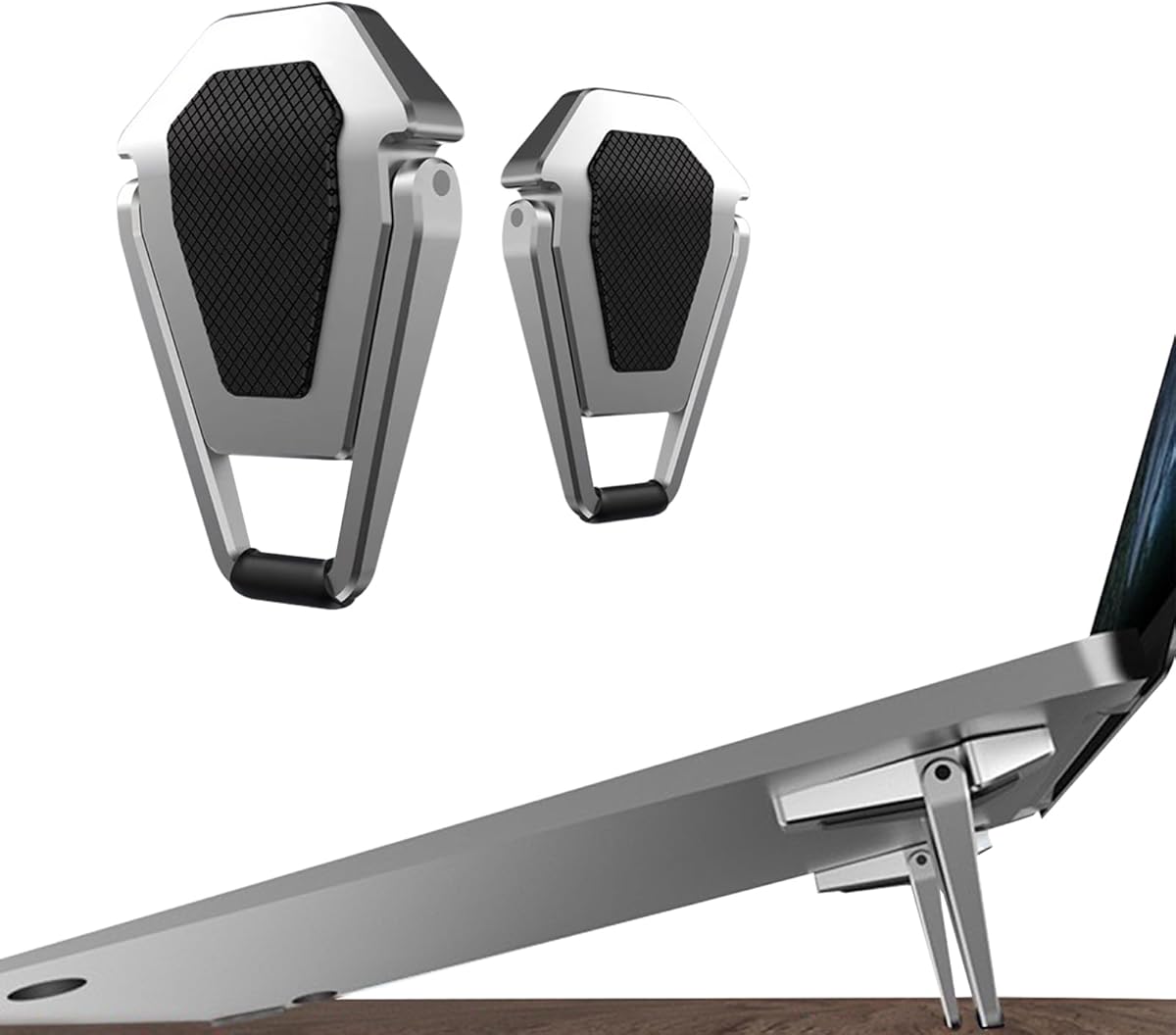



This affordable set of two mini stands delivers reliable support for most laptops without breaking the bank. With a strong 4.6 star rating users appreciate the durable aluminum alloy construction.
We may earn a commission when you buy through this link, at no additional cost to you.
The stands provide a comfortable viewing angle that helps improve your posture during long typing sessions. They also elevate the device to increase airflow which keeps your laptop cooler under load.
While the angle is not adjustable the fixed design ensures stability and simplicity. The main tradeoff is that you cannot customize the tilt to match your specific desk height perfectly.
This option is ideal for students or casual users who need a simple reliable lift. If you want a basic stand that works across multiple devices this is a great choice.
Made from aluminum alloy these stands are built to last without bending under the weight of typical laptops.
Raising the laptop off the desk surface creates space for air to circulate reducing heat buildup during heavy use.
We may earn a commission when you buy through this link, at no additional cost to you.
Weighing just 24 grams this stand is one of the lightest options available for travelers who need to minimize bag weight. It features a zinc alloy build for durability despite its small size.
We may earn a commission when you buy through this link, at no additional cost to you.
The adjustable tilt angle allows you to find a comfortable position for typing or watching media. Its foldable design means it takes up almost no space when not in use.
The adhesive pads help secure it to the device but may need replacement after repeated removals. Some users report that the grip loosens over time with frequent handling.
If you prioritize portability above all else this stand is an excellent companion for on the go work. It fits a wide range of laptop sizes from 12 to 20 inches.
Folding down to a tiny size this stand slips easily into pockets or laptop sleeves without adding bulk.
The adjustable angle lets you customize the viewing height to reduce neck strain during extended use.
We may earn a commission when you buy through this link, at no additional cost to you.
The Hagibis stand stands out for its three adjustable height settings that let you tailor the lift to your needs. Made from aluminum alloy it also helps conduct heat away from the laptop.
We may earn a commission when you buy through this link, at no additional cost to you.
Its stability design includes increased bottom surface area to prevent slipping or falling off the desk. This makes it a reliable choice for heavy typing or gaming sessions.
The adhesive installation requires patience to ensure a secure bond but once set it stays put firmly. You cannot rotate the stand freely so choose the position carefully before sticking.
For users who want adjustable height and solid build quality this is our top recommendation. It balances portability with ergonomic features that improve comfort and performance.
Switch freely between three height settings to match your seating position or desk configuration.
The aluminum material acts as a heat sink to help dissipate warmth from the device bottom.
We may earn a commission when you buy through this link, at no additional cost to you.
This kit includes two stands plus a free webcam cover for added privacy protection. It offers two preset angles for browsing or typing without requiring tools for adjustment.
We may earn a commission when you buy through this link, at no additional cost to you.
The ABS plastic construction is durable and resistant to heat but feels less premium than metal options. The setup takes seconds since you simply peel stick and lift into place.
The lower rating reflects some issues with adhesion longevity on certain surfaces. It is best used on smooth clean surfaces for the strongest bond possible.
If you want a bundle that includes privacy tools this kit is a smart value. It works well for laptops between 10 and 17 inches and is great for travel.
The bonus webcam cover blocks digital snooping when your camera is not in use.
No screws or clamps are needed to install these stands on your device base.
We may earn a commission when you buy through this link, at no additional cost to you.
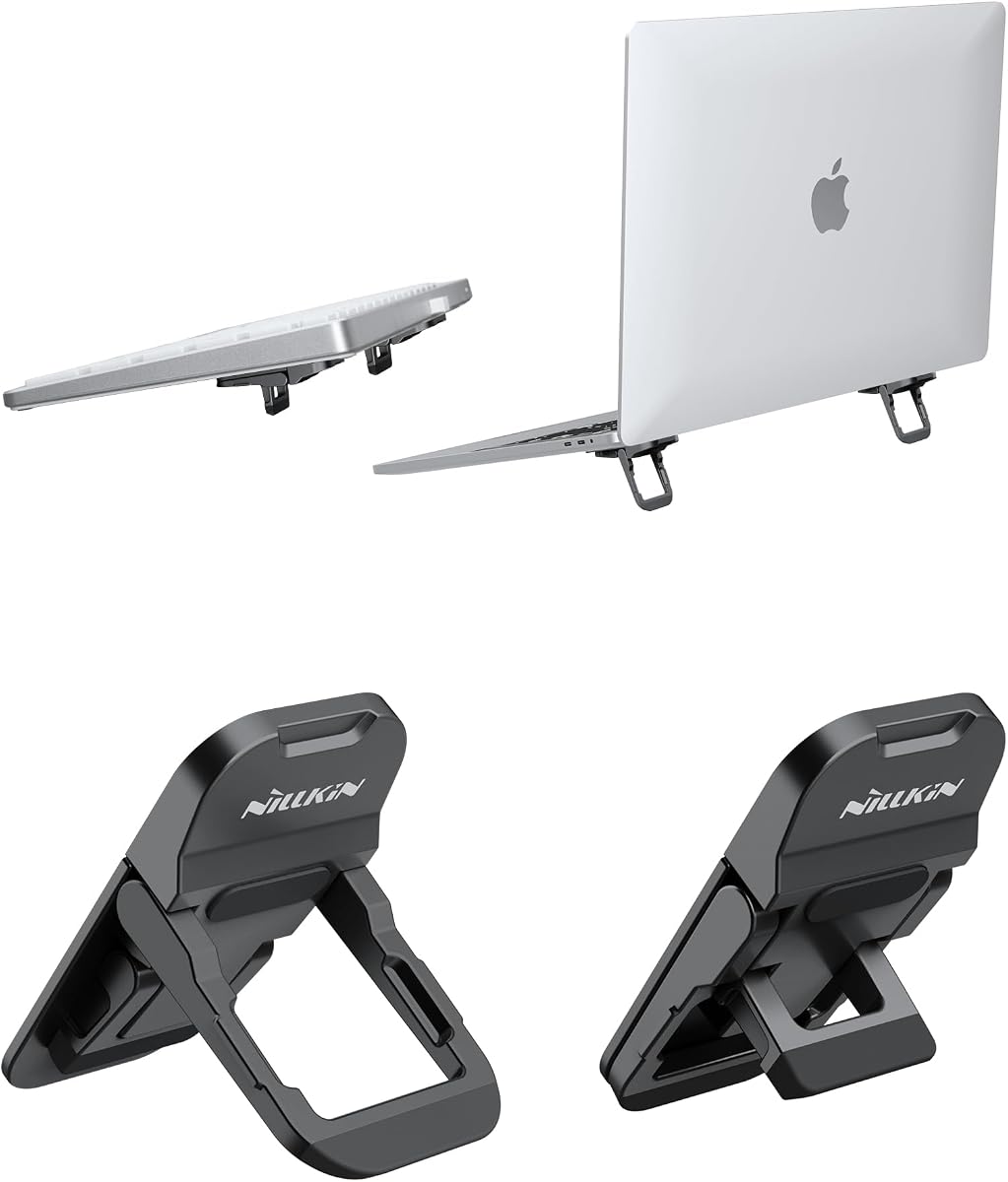
Nillkin offers a zinc alloy stand with three precise angles that support different tasks like typing and video calls. The nano traceless adhesive ensures it sticks firmly without leaving residue.
We may earn a commission when you buy through this link, at no additional cost to you.
The anti slip silicone pads keep your laptop stable during use which prevents unexpected shifts. It is foldable so it hides away completely when not needed on your desk.
The adhesive works best if you let it sit for an hour before first use. Repeating pasting often reduces the stick so plan your placement carefully the first time.
This is a strong choice for users who want a balance of quality and adjustability. The angles are well chosen for reducing strain during work or study sessions.
Choose from three specific angles to find the exact height that fits your ergonomic needs.
Nano adhesive technology provides a strong bond that holds securely without messy residue.
We may earn a commission when you buy through this link, at no additional cost to you.
This value pack includes two zinc alloy stands so you can support multiple devices or keep a spare. They are very small and foldable for easy transport in any bag.
We may earn a commission when you buy through this link, at no additional cost to you.
The ergonomic design lifts your screen to a better viewing height to reduce neck pressure. It works well for laptops keyboards and even mobile phones in a pinch.
The adhesive comes as separate stickers which requires careful placement to avoid air bubbles. Once applied they hold the device securely for daily use at a desk.
If you want a reliable affordable option with extra units this pack is a great deal. It fits most laptops and delivers solid support without much bulk.
Having two stands lets you support multiple devices or have a backup ready.
The foldable design ensures these stands take up almost no space when stored.
We may earn a commission when you buy through this link, at no additional cost to you.
This versatile stand transforms into a tablet easel phone holder or selfie stick making it a true portable office. It uses aerospace aluminum to support heavy laptops up to 17 inches.
We may earn a commission when you buy through this link, at no additional cost to you.
Eight distinct height slots let you dial in the exact screen level for comfortable typing. The X frame design improves airflow which helps prevent overheating during long sessions.
It is heavier and larger than invisible kickstands which reduces portability but increases stability. The folding frame collapses quickly into a baton shape for transport.
If you need one stand for multiple device types this is a powerful all in one solution. It is best for stationary setups that need frequent device switching.
Convert seamlessly between laptop riser tablet stand and phone holder modes easily.
Eight adjustment slots provide fine tuning to match your exact eye level.
We may earn a commission when you buy through this link, at no additional cost to you.
Ringke delivers a premium experience with the highest rating among our picks. It is crafted from high quality zinc alloy for a solid feel that lasts longer.
We may earn a commission when you buy through this link, at no additional cost to you.
Three height levels provide enough flexibility for most users without over complicating the design. The efficient heat dissipation keeps your laptop cool during intensive tasks.
The price is higher than average but the build quality justifies the cost for many. It installs easily with adhesives but does not fold for compact storage.
For users who value durability and a refined look this stand is worth the investment. It works well with tablets and phones as well as laptops.
High quality zinc alloy ensures the stand remains durable and sturdy over time.
The open structure allows air to flow freely to dissipate heat effectively.
We may earn a commission when you buy through this link, at no additional cost to you.
The G07 features a built in spring mechanism that pops up instantly for quick deployment. It is incredibly small and fits in the size of your index finger for travel.
We may earn a commission when you buy through this link, at no additional cost to you.
The zinc alloy construction ensures it holds your device firmly without wobbling. The adhesive is strong which keeps it attached securely but can be hard to remove cleanly.
The click sound when closing adds a tactile satisfaction that many users enjoy. It raises the screen height which helps with airflow and ergonomics simultaneously.
If you want a unique pop up design this stand is a standout option. It works across a wide range of devices from 8 to 20 inches.
Built in springs allow the stand to pop open in just a fraction of a second.
High quality adhesive keeps the stand firmly attached to your device back.
We may earn a commission when you buy through this link, at no additional cost to you.
This model focuses on quick instant use without any added weight or bulk to your setup. It uses 3M adhesives that provide smooth adhesion for secure attachment.
We may earn a commission when you buy through this link, at no additional cost to you.
Soft slide prevention pads protect the surface of your device from scratches while typing. It works with any device larger than 9 inches which covers most modern laptops.
Repeated removal may lower adhesive performance so choose your placement carefully at first. The slim profile ensures it stays nearly invisible on your desk surface.
If you want simplicity and broad compatibility this stand is a reliable pick. It is easy to install and stays out of the way when not in use.
Setup takes just seconds using 3M adhesive for a secure hold on your device.
Soft pads on the stand prevent scratches and damage to your device surface.
We may earn a commission when you buy through this link, at no additional cost to you.
Choosing the right laptop kickstand involves balancing portability with adjustability and build quality for your specific workflow needs.
Aluminum alloy and zinc alloy offer the best durability and thermal conductivity. Plastic options are lighter but may not feel as sturdy over time.
Choose metal for a premium feel and plastic if weight is your top priority.
Adjustable stands let you customize the screen height to reduce neck strain. Some models offer multiple fixed levels while others allow continuous tuning.
Prioritize adjustability if you use your laptop in different seating positions often.
Adhesive stands stay on your device permanently while removable stands can be attached when needed. Adhesive offers more stability but may leave residue if removed.
Pick adhesive for a permanent solution and removable for maximum flexibility.
Foldable and invisible stands are ideal if you carry your laptop daily. Heavier multi function stands work better for stationary setups at a desk.
Assess how often you travel with your gear before choosing the bulk level.
Check that the stand supports your laptop size in inches to ensure a secure fit. Some universal models work with tablets and phones as well.
Always verify compatibility lists to avoid purchasing a stand that is too small.
Stands that raise your device improve airflow and help prevent overheating during heavy tasks. Look for open designs that maximize space under the chassis.
Good ventilation is crucial if you use your laptop for gaming or rendering.
Clean the surface of your laptop before applying any adhesive stand to ensure a strong bond. Wipe away dust and oils with a soft cloth for best adhesion.
Allow the adhesive to cure for at least an hour before placing your device on the stand. This waiting period helps the bond set fully for maximum stability.
Remove adhesive stands gently by using a mild heat source to soften the glue. Do not rip them off quickly as this could damage your laptop surface.
Most high quality adhesives are designed to remove cleanly without residue. However repeated removals can reduce adhesion over time so choose your placement carefully initially.
Some stands require direct contact with the device surface for secure attachment. Check the product details to see if it works with cases or if you need to remove them.
Most kickstands support up to 10 kilograms which covers the vast majority of laptops and tablets. Always verify the specific load limit listed in the product specs.
Yes raising the laptop off the desk surface creates space for air to circulate. This increased airflow helps dissipate heat more efficiently during intensive tasks.
Many invisible models are designed to fold completely flat when not in use. This feature makes them easy to carry in a bag without taking up space.
Most universal kickstands fit devices ranging from 10 to 17 inches. Some models extend to 20 inches so check the specific range before purchasing.
Our top picks cover a range of needs from budget friendly options to premium adjustable stands. The Hagibis and Ringke models offer excellent build quality for daily use.
Prioritize portability if you travel often but choose adjustability for ergonomic comfort at a desk. The best stand is the one you will actually use regularly.
Prices and availability change frequently so review the latest details before making your decision. Checking current listings ensures you get the best value available today.