
TP-Link AXE5400 Tri-Band WiFi 6E Router
4.3Editor score
Tri-Band WiFi 6E support
Up to 5400 Mbps speeds
EasyMesh compatibility for range
This guide compares the top 10 gaming routers for GTA 6 Online to help you find the best model for low latency and stable connections.
GTA 6 Online demands a reliable network connection to ensure seamless gameplay and quick matchmaking. Choosing the right router is crucial for minimizing latency and maintaining stability during intense sessions.
We compared ten top-rated routers based on speed, latency handling, and gaming-specific features. Our analysis focuses on models that support modern standards and offer robust performance for online gaming needs.
Each pick highlights key strengths and potential trade-offs to help you make an informed decision. Keep in mind that prices may fluctuate based on availability and current market conditions.
4.3Editor score

4.6Editor score

4.3Editor score
Here is a side-by-side comparison of all ten routers evaluated in this guide. Use this table to quickly identify key specifications and features for each model.



The TP-Link AXE5400 offers an excellent balance of performance and value for gamers. It supports WiFi 6E to deliver faster speeds and near-zero latency across the 6 GHz band.
We may earn a commission when you buy through this link, at no additional cost to you.
Its tri-band design allows simultaneous transmission to more devices without compromising speed. The unique housing design ensures optimal heat dissipation for long-term reliability.
While it lacks some premium ports, its QoS and VPN support cover most essential needs. The included security features help keep your home network safe from threats.
This router is ideal for gamers seeking WiFi 6E benefits without high costs. It effectively reduces lag and drops for a smoother GTA 6 Online experience.
The 6 GHz band provides exclusive bandwidth to minimize interference during intense matches.
EasyMesh support allows you to extend your network to eliminate dead zones.
We may earn a commission when you buy through this link, at no additional cost to you.
The GL.iNet GL-MT6000 is designed for users who want deep control over their network. It delivers ultra-low latency with speeds up to 6 Gbps for smoother gameplay.
We may earn a commission when you buy through this link, at no additional cost to you.
Its dual 2.5G ports and high storage capacity accommodate over a hundred devices. This ensures stable connections even in busy household environments.
While the setup requires an update for best performance, the open-source nature allows extensive customization. AdGuard Home support helps filter ads and unwanted tracking effectively.
Tech-savvy gamers will appreciate the flexibility this router offers. It provides a robust foundation for high-speed online sessions with total bandwidth control.
The router accommodates over a hundred devices ensuring stable performance for all digital needs.
Built-in DNS filtering blocks unwanted ads and tracking for a clutter-free online environment.
We may earn a commission when you buy through this link, at no additional cost to you.
The ASUS ROG Rapture GT-BE98 Pro is a cutting-edge solution designed for serious enthusiasts. It uses WiFi 7 to provide speeds of up to 30 Gbps with minimal latency.
We may earn a commission when you buy through this link, at no additional cost to you.
Its triple-level game acceleration boosts PC gaming traffic from your port to the server. Multi-link Operation ensures stable connections by linking to multiple bands simultaneously.
While it is a significant investment, the dual 10G ports future-proof your setup for high-speed internet. The external antennas significantly enhance signal strength across your home.
This router is perfect for those who want the absolute best technology available today. It ensures uninterrupted performance during the most intense multiplayer battles.
New 320MHz channels and 4096-QAM significantly increase throughput and efficiency.
Triple-Level Game Acceleration prioritizes data packets to reduce lag and jitter.
We may earn a commission when you buy through this link, at no additional cost to you.
The ASUS RT-AX82U offers strong performance at a more accessible price point. It features a dedicated Mobile Game Mode that minimizes latency with a simple tap.
We may earn a commission when you buy through this link, at no additional cost to you.
Its commercial-grade security protects your network with lifetime free AiProtection Pro. The AiMesh support allows you to expand your network coverage seamlessly.
Buying a renewed model can be a smart way to save money while getting quality features. Just ensure the physical condition meets your expectations upon arrival.
This router is a great choice for casual gamers or those on a budget. It provides reliable speeds and essential features to keep your connection stable.
Mobile Game Mode optimizes your connection to reduce latency for handheld devices.
AiProtection Pro powered by Trend Micro keeps threats away from your home network.
We may earn a commission when you buy through this link, at no additional cost to you.
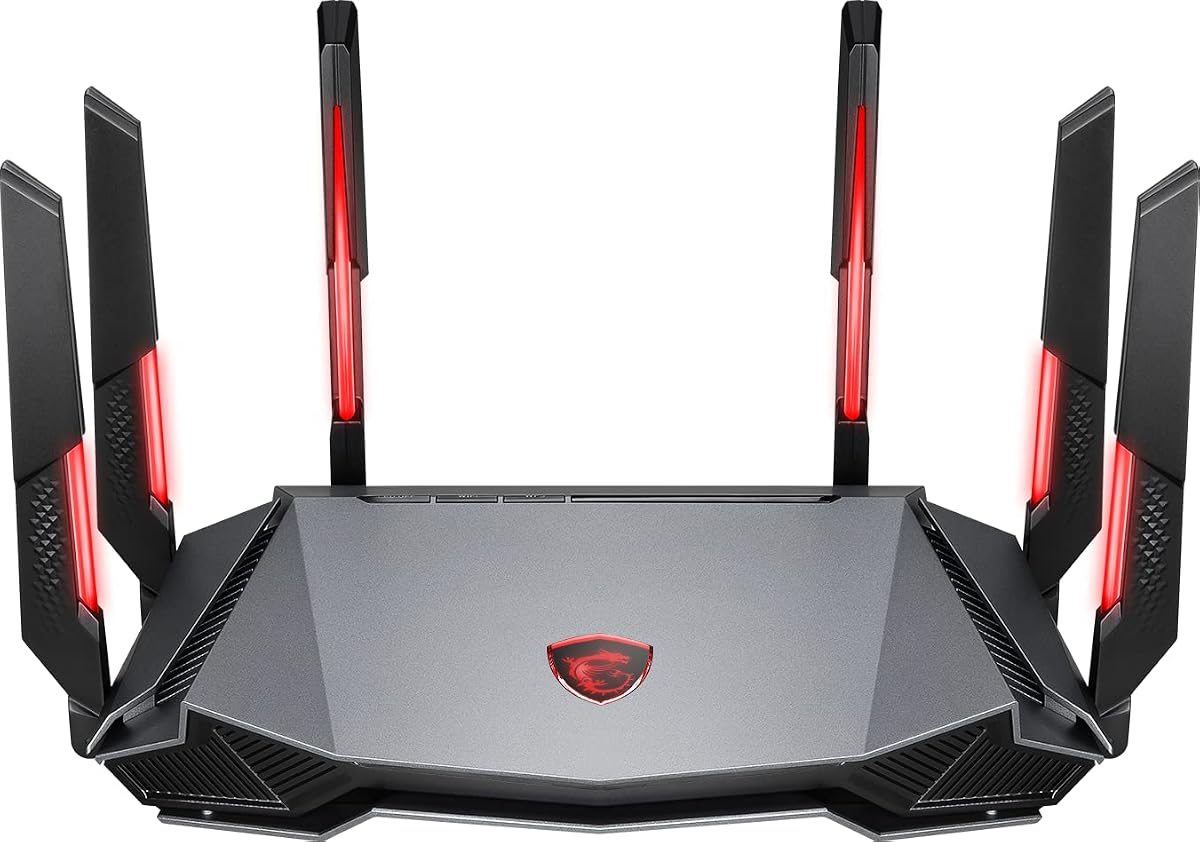
The MSI Radix AXE6600 delivers impressive speeds with its 8-stream tri-band design. It supports WiFi 6E to ensure ultra-fast connections across multiple devices simultaneously.
We may earn a commission when you buy through this link, at no additional cost to you.
Its powerful 1.8GHz quad-core processor handles high data loads efficiently. AI QoS automatically prioritizes data packets to satisfy all users' gaming needs.
The high-speed long range design helps maintain stable connections even at a distance. Sync capabilities with Mystic Light add a visual flair to your gaming setup.
This router is ideal for households with multiple heavy users and gamers. It ensures that gaming traffic gets the attention it needs without manual intervention.
AI QoS automatically prioritizes gaming traffic to reduce lag during intense sessions.
High-speed long range design maintains stable connections even further from the router.
We may earn a commission when you buy through this link, at no additional cost to you.
The TP-Link Archer GXE75 focuses heavily on optimizing gaming performance through software and hardware. It includes exclusive acceleration for your gaming headset and controller.
We may earn a commission when you buy through this link, at no additional cost to you.
Its intuitive game panel provides real-time insights into your network status and performance. This helps players strategize effectively based on current router conditions.
The 2.5G WAN port delivers ultra-fast speeds from your multi-gig modem easily. Security features help protect all devices and personal data during your sessions.
This router is excellent for users who want easy monitoring of their game environment. It simplifies the connection optimization process for a better experience.
The dedicated game panel shows real-time router performance and network status.
HomeShield offers antivirus protection to safeguard devices and data from threats.
We may earn a commission when you buy through this link, at no additional cost to you.
The TP-Link Archer AX73 is designed to provide extensive coverage for large homes. It supports WiFi 6 to deliver fast speeds for browsing and streaming simultaneously.
We may earn a commission when you buy through this link, at no additional cost to you.
With high-power FEM and six antennas, it concentrates signal strength towards devices. This helps eliminate dead zones and ensure reliable connectivity everywhere.
The USB 3.0 port enables easy media sharing for private cloud storage options. Improved venting helps the router manage heat effectively under load.
This router is a strong choice for households prioritizing coverage over specific gaming features. It delivers solid performance for a wide range of activities.
The router covers up to 2000 square feet to eliminate dead zones easily.
Improved vented areas help unleash the full power of the router without overheating.
We may earn a commission when you buy through this link, at no additional cost to you.
The TP-Link Archer BE550 embraces the latest WiFi 7 technology for ultimate speed. It features Multi-Link Operation to provide blazing-fast speeds and low latency.
We may earn a commission when you buy through this link, at no additional cost to you.
With full 2.5G ports on both WAN and LAN, it supports multi-gig modems easily. This offers an ideal solution for future-proofing your home network effectively.
While current devices may not fully utilize the speed, it prepares you for upgrades. Control is seamless with Amazon Alexa or Google Assistant enabled devices.
This router is great for tech enthusiasts planning ahead for next-gen internet. It provides high capacity and reliability for all connected devices.
Full 2.5G LAN and WAN ports support peak device performance and faster modems.
Control your router with any Amazon Alexa or Google Assistant-enabled device easily.
We may earn a commission when you buy through this link, at no additional cost to you.
The ASUS ROG Rapture GT-AXE16000 is a world-first quad-band WiFi 6E gaming router. It delivers ultrafast speeds up to 16000 Mbps across multiple frequency bands.
We may earn a commission when you buy through this link, at no additional cost to you.
Dual 10G ports support bandwidth-demanding tasks with data-transfer speeds up to 10X faster. RangeBoost Plus technology improves overall signal range and coverage effectively.
Its Lifetime Internet Security ensures continuous protection against cyber threats. This router is built to handle the most demanding gaming and streaming requirements.
This model is perfect for users needing maximum throughput and robust security. It offers a premium experience for those with large networks.
Dual 10G ports support bandwidth-demanding tasks with up to 10X faster data transfers.
RangeBoost Plus technology improves overall signal range and coverage across large homes.
We may earn a commission when you buy through this link, at no additional cost to you.
The ASUS ROG Rapture GT-AX11000 delivers powerful performance with triple-level game acceleration. It optimizes game traffic through device, packet, and server prioritization effectively.
We may earn a commission when you buy through this link, at no additional cost to you.
Its 1.8GHz quad-core CPU and 2.5G port ensure ultimate performance for gaming. WTFast integration further reduces latency and improves connection stability.
AiProtection security helps neutralize internet threats before they hit your network. The Aura RGB adds a customizable visual element to your setup.
This router is ideal for gamers who want advanced routing and security tools. It provides a robust foundation for serious gaming needs.
Triple-level acceleration prioritizes device, packet, and server traffic for faster game data.
AiProtection security neutralizes internet threats before they reach your home network.
We may earn a commission when you buy through this link, at no additional cost to you.
Selecting the right router involves understanding key factors that impact performance and stability during online gaming.
Modern gaming benefits from WiFi 6 and WiFi 6E which offer higher speeds and less congestion. The 6 GHz band provides exclusive channels for devices that support it reducing interference significantly.
Look for routers supporting WiFi 6E or newer standards to ensure future compatibility and better performance in crowded network environments.
High speeds are important but consistency is crucial for gaming. A router with higher Mbps ensures that downloads and updates do not interrupt your gameplay sessions.
Focus on tri-band routers which allow you to dedicate one band exclusively to gaming traffic without slowing down other devices.
Low latency is vital for fast-paced games. Quality of Service features prioritize gaming data packets over other types of traffic ensuring smoother interactions.
Choose models with dedicated game acceleration or QoS settings to minimize lag spikes during critical moments.
Even with advanced WiFi having Ethernet ports for wired connections can enhance stability. Look for routers with Gigabit or faster LAN ports.
Dual 2.5G ports are beneficial if you have a multi-gig internet plan to maximize wired speed potential.
Large homes require routers with high-power FEM and multiple antennas to reach all corners. Beamforming technology directs signals to your devices rather than broadcasting randomly.
Mesh compatibility allows you to expand your network range without losing performance across multiple floors.
Secure networks protect your personal data and gaming accounts. Built-in firewalls and antivirus software add an essential layer of defense.
Features like parental controls help manage access times and ensure a safe browsing environment for all family members.
A powerful CPU handles multiple simultaneous connections better than weaker models. High-speed memory prevents bottlenecks during peak usage hours.
Look for quad-core processors with at least 1GB RAM to ensure smooth handling of complex data streams.
User-friendly interfaces make configuring advanced settings less daunting. Mobile apps allow you to manage your network from anywhere without logging into a web portal.
Simple setup guides and intuitive dashboards help you get started quickly without technical expertise.
Position your router in a central location away from walls and metal objects to maximize signal range. Elevating it on a shelf can help distribute signals more effectively.
Regularly update the firmware to benefit from the latest security patches and performance improvements. Many routers support automatic updates which you should enable for convenience.
Restart your router every few weeks to clear temporary caches and refresh connections. This simple step can resolve minor issues and improve overall performance.
While not strictly required, a gaming router helps minimize lag and disconnections. It prioritizes gaming traffic which is essential for competitive online sessions.
WiFi 6E is currently the best choice offering 6 GHz bandwidth for reduced interference. However, WiFi 6 routers still provide excellent performance for most users.
QoS prioritizes game data packets so they are sent before other traffic like downloads. This reduces latency and helps maintain smooth gameplay during heavy network use.
Wired connections are generally more stable and offer lower latency than wireless. However, modern WiFi 6E routers can provide near-wired performance for convenience.
Tri-band routers have an extra 5 GHz band allowing more devices to connect without congestion. This is useful if you have many devices connected simultaneously.
Enable QoS to prioritize gaming traffic and keep your firmware updated. Positioning the router centrally also helps ensure strong signal strength for your devices.
Yes, mesh systems can be excellent if they support seamless roaming and strong dedicated gaming nodes. They are particularly useful for large homes with dead zones.
Restarting your router every couple of weeks helps clear memory and refresh network connections. This can resolve minor connectivity issues and improve overall performance.
Selecting a gaming router involves balancing speed coverage and specific gaming features for your needs. The top picks offer a range of options from budget-friendly to high-end performance.
Prioritize models with low latency support and robust security to ensure a smooth experience. Look for features like game acceleration and dual-band capabilities to enhance stability.
Always check current pricing and availability before making your final purchase. Conditions may change so verify the latest offers from retailers for the best deal.